-20250819-084018.svg)
|
Release Date |
2019-01-21 |
|---|---|
|
Compatibility |
Jira Server/DC 7.3.0 - 7.13.18 |
|
Highlight |
Auto-Cleanup Merge Custom Fields Board Access Logging |
Features
-
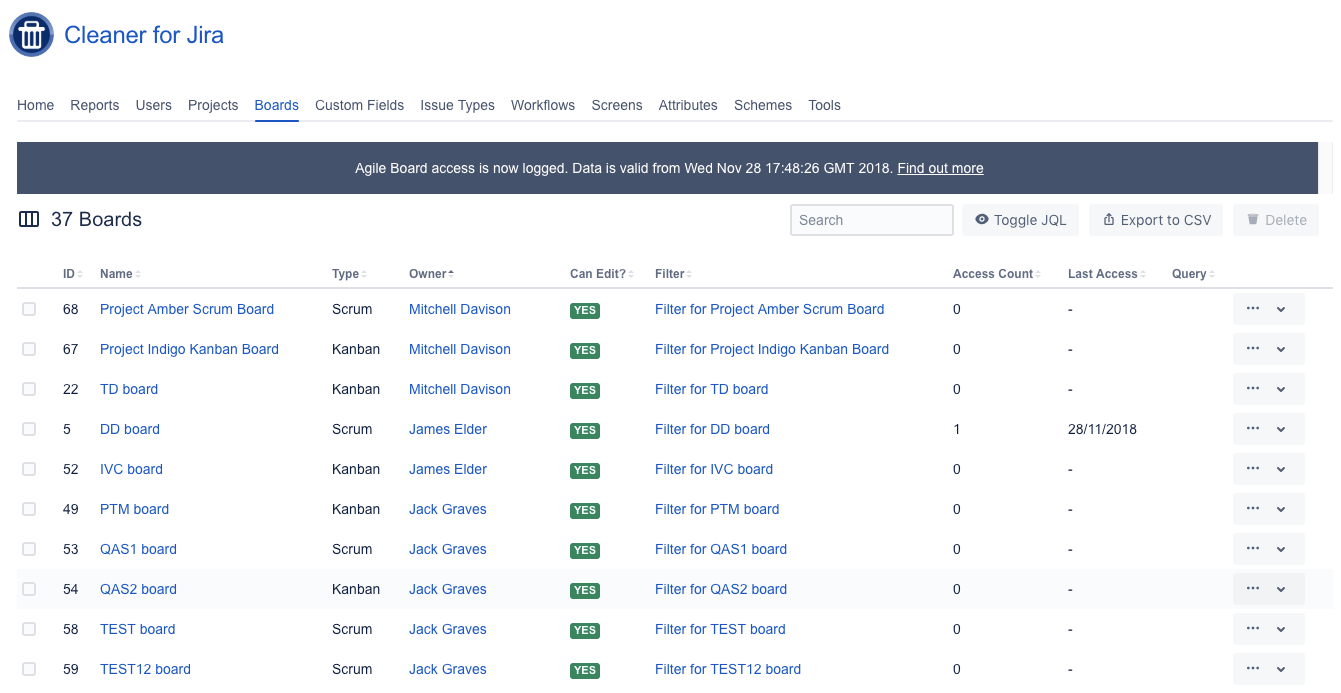
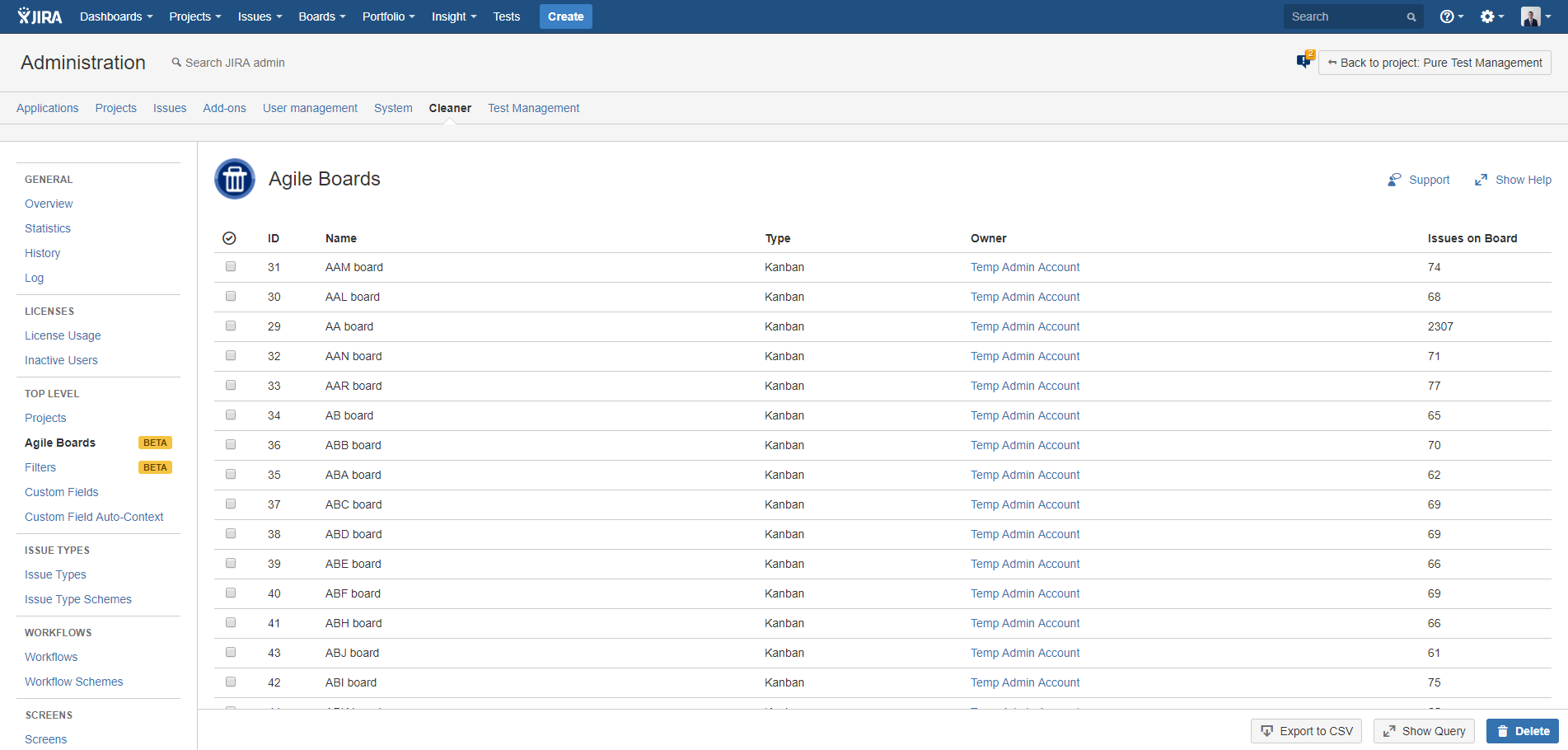
Agile Board Access Logging
-
Do you have a large amount of Agile Boards? Find out which Boards are in use by tracking the date they were last accessed and the volume of access.
-
Improve the performance of the Agile Board functionality (e.g. View All Boards) by removing obsolete Boards.
-
This functionality can be enabled/disabled independently of the App.
-
-
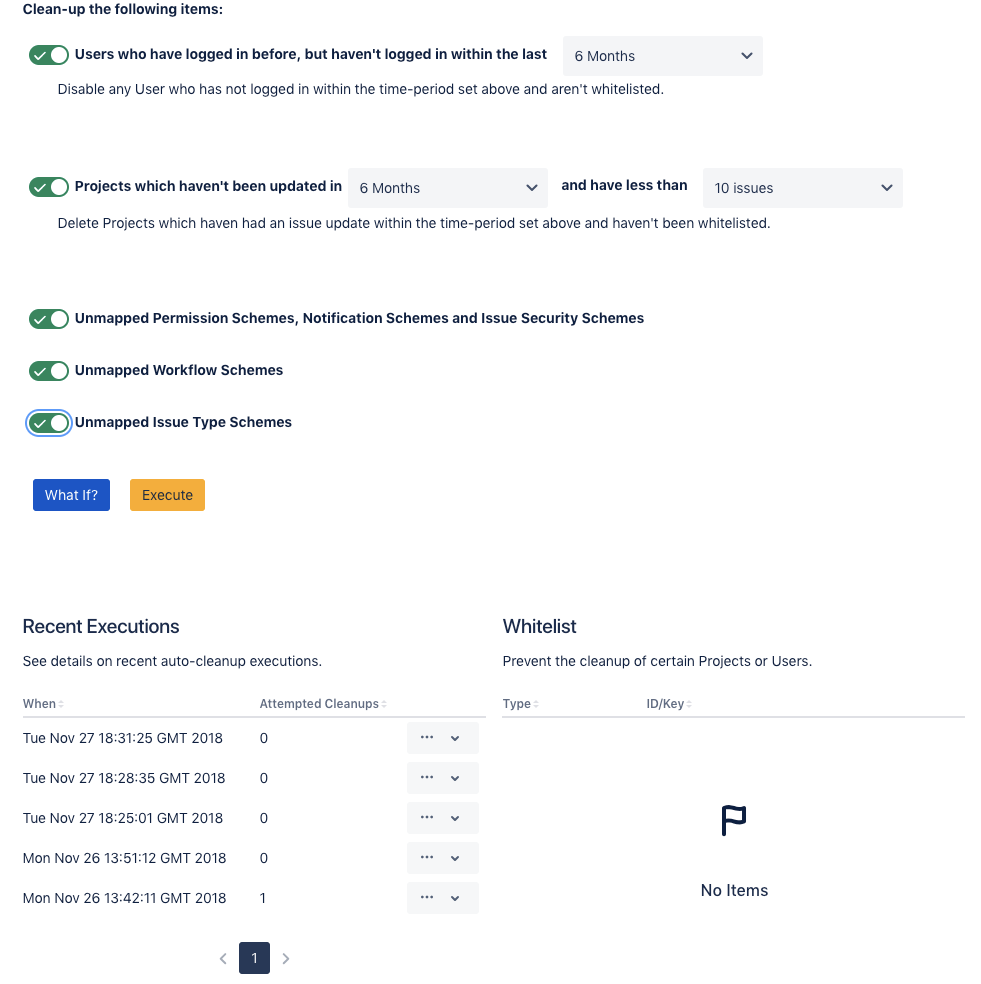
Auto-Cleanup
-
Introducing a new way to optimise your Jira system.
-
The new Automated Cleanup tool detects inactive Projects, inactive Users and unused Schemes.
-
It is fully configurable, with a whitelist and removes items based on criteria you set (inactive time, number of issues).
-
The “What If” feature provides an easy-to-use way to get suggestions on items that can be removed.
-
If you are happy with the suggestions, the removal can be automatically performed by Cleaner for Jira for you.
-
-
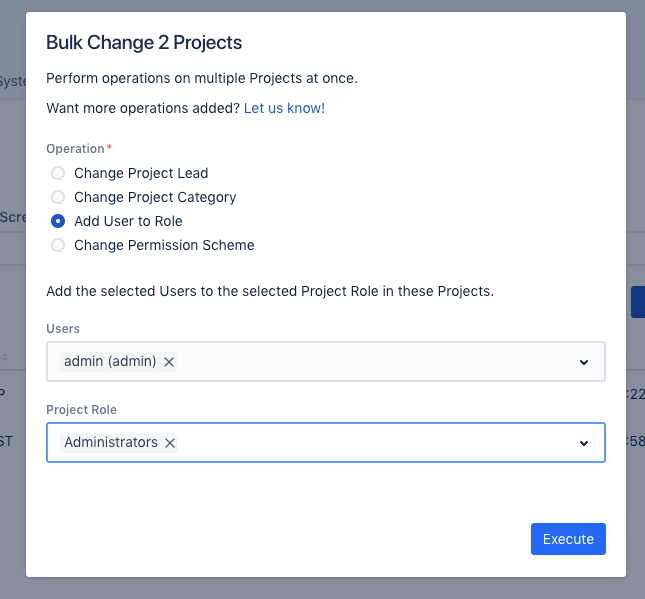
Project Bulk Change
-
Perform administration tasks on Projects in bulk and save time!
-
Select multiple Projects and choose from several operations.
-
Add Users to a Role, Change Project Lead, Change Project Category and Change Permission Schemes in bulk.
-
-
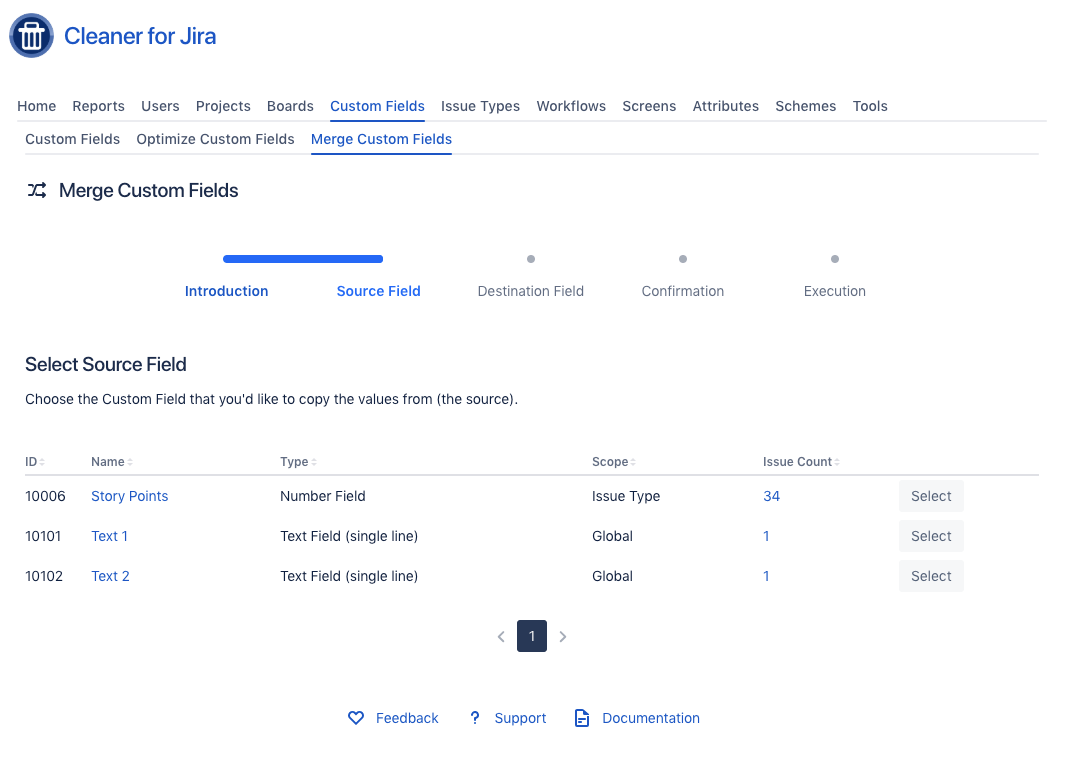
Merge Custom Fields
-
Do you have duplicate Custom Fields, causing confusion amongst users and impacting the performance of your Jira Index?
-
The new merge Custom Field feature allows you to copy the values from a Custom Field to another Custom Field, allowing the original to be removed.
-
Analysis shows whether there are conflicts (e.g. Issues with a value for both Custom Fields).
-
Choose whether to overwrite the destination value with the source value.
-
The feature maintains the Issue History and will show as an issue update.
-
-
Other Minor Features
-
New Batch Deletion Tool
-
Provide a list of Configuration Item ID’s in comma-seperated format and perform deletion of them in bulk.
-
Optionally skip on errors during the deletion – perfect for migrations, or overnight/long-running tasks.
-
-
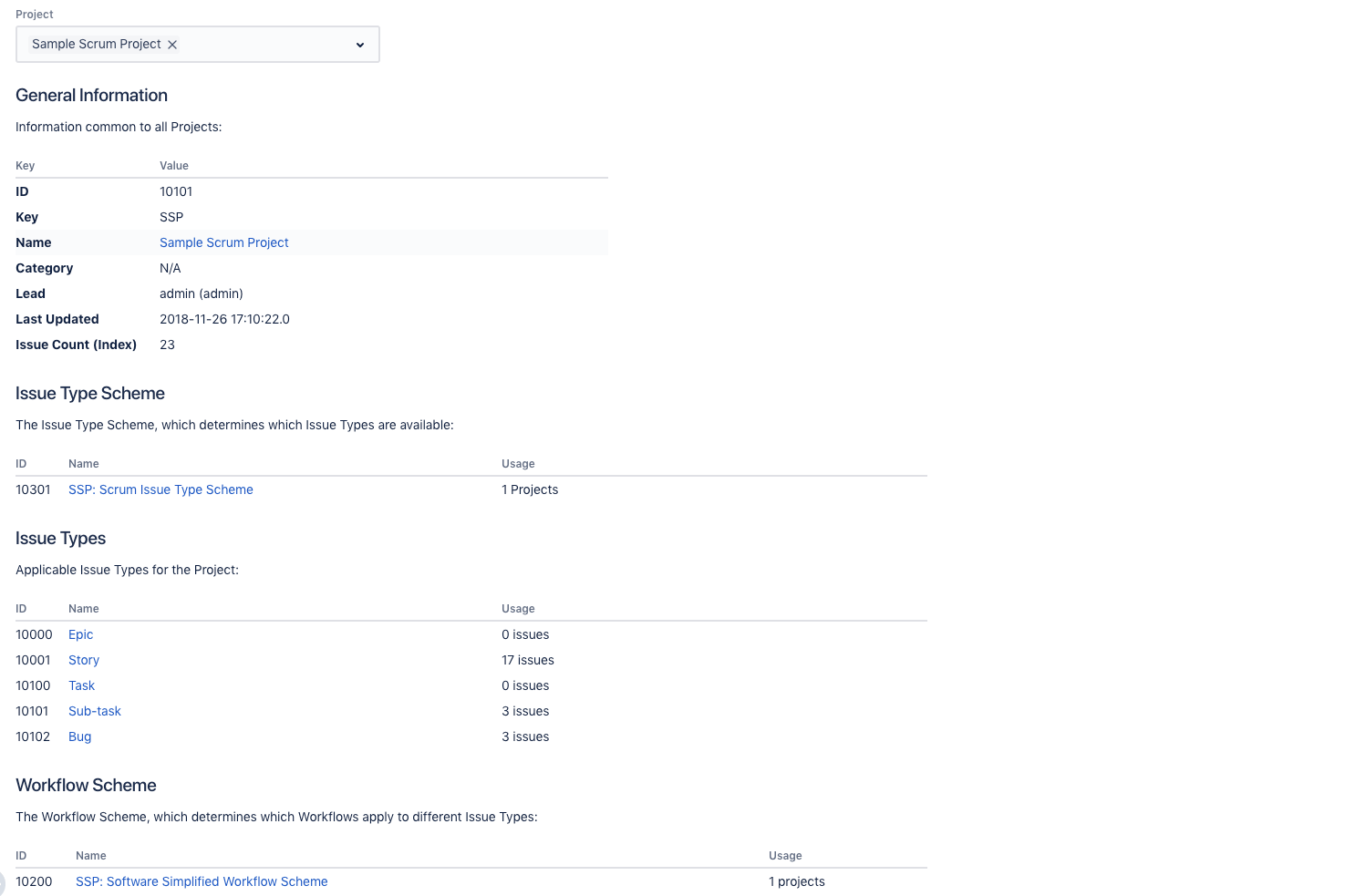
New Project Usage Report
-
Ever wanted to see what a Project uses in terms of Configuration Items, or Custom Fields?
-
See everything that's used by a Project, see usage and jump to any of the configuration screens.
-
The Project Report allows you to perform a bottom-up analysis, as opposed to the top-down analysis
-
-
Performance Improvements
-
Major Frontend Performance Improvements.
-
-
Bug Fixes
-
Better Error Handling.
-
WebSudo Timeout Fix
-
Screenshots
 |
 |
 |
 |
 |
 |
 |
|