-20250819-084018.svg)
You can only apply classification levels to pages after they have been published. This allows you to create draft classification levels and get sign-off from your stakeholders before they are made available for use.
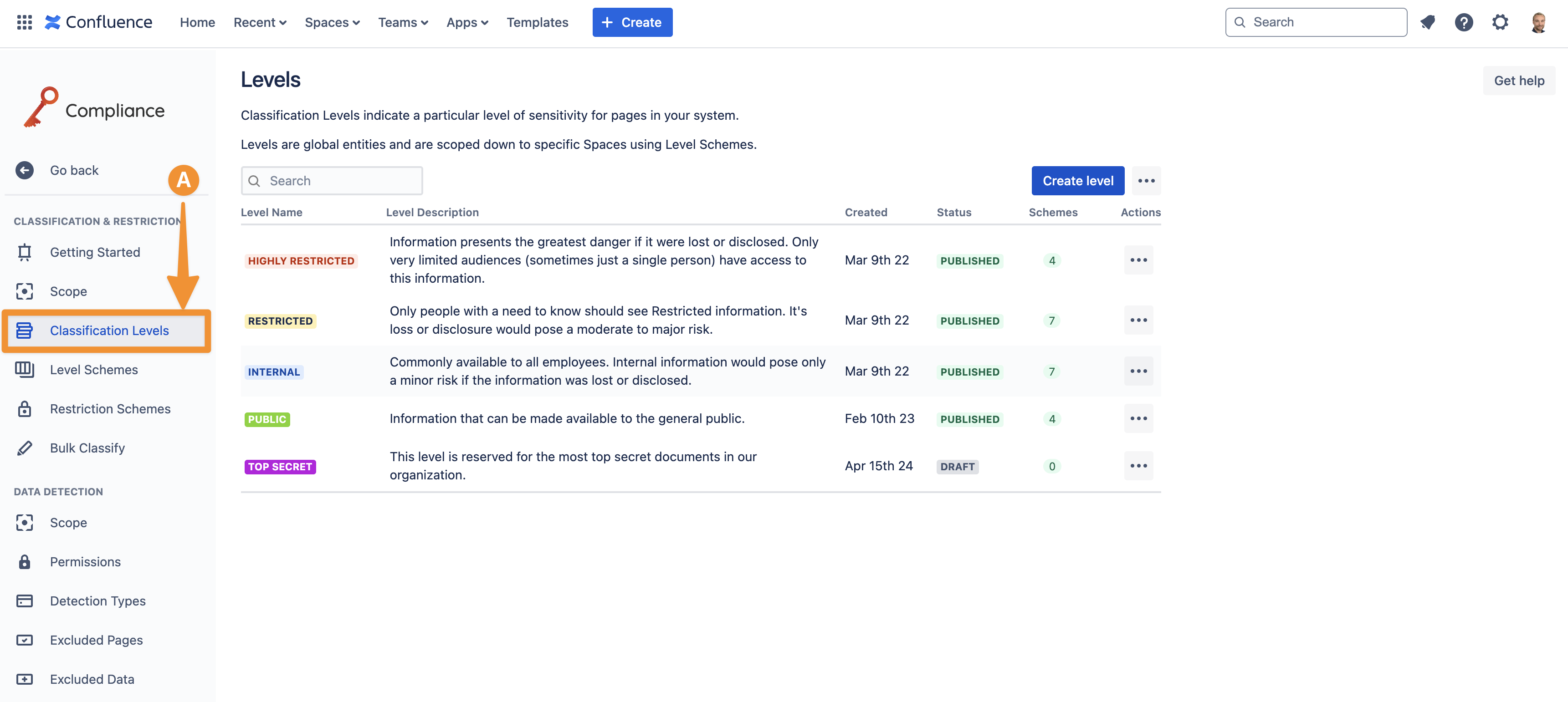
To publish a classification level, you must first access the Classification Levels (A) section within the Compliance configuration settings.
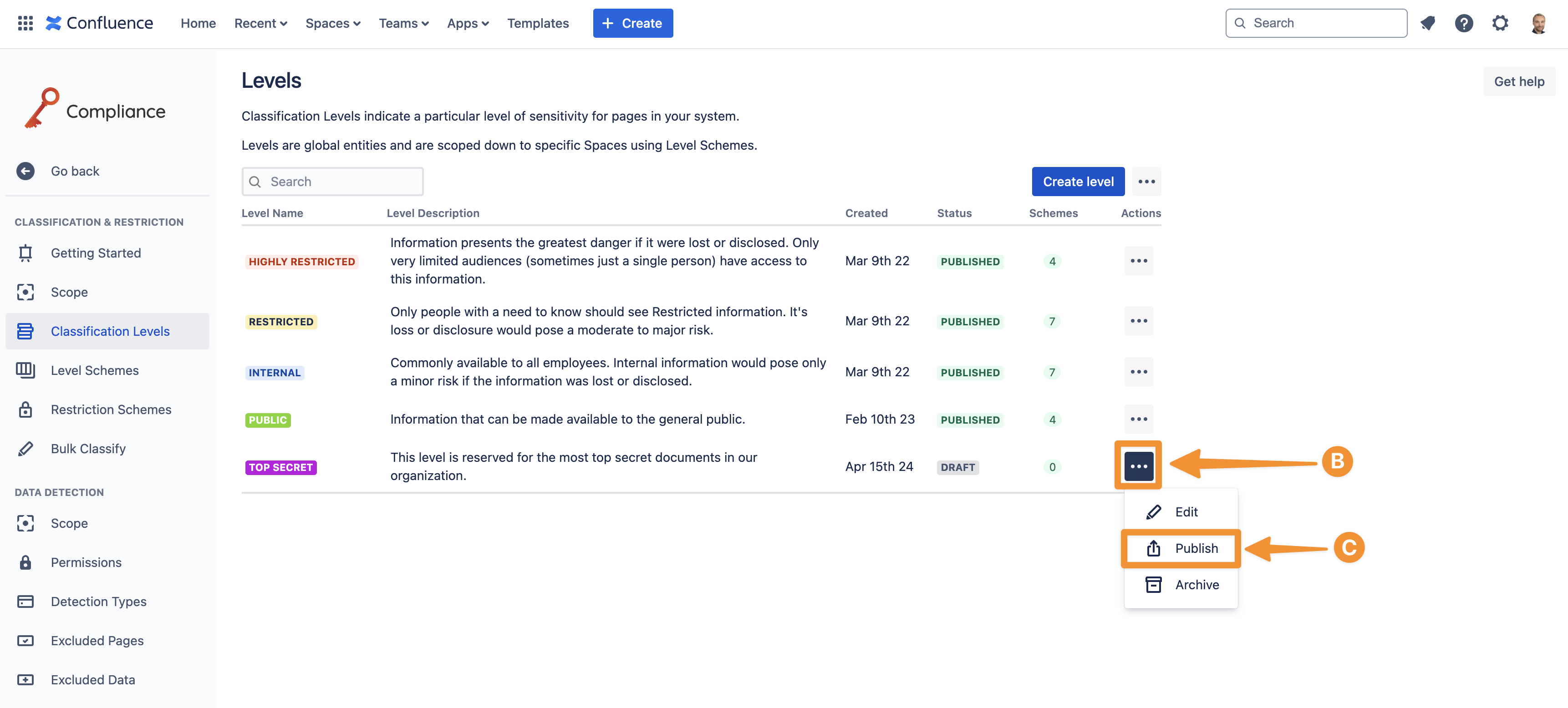
Next, navigate to the classification level you want to publish and click on the three-dot ellipsis (B). Within the drop-down menu, press Publish (C) to publish the classification level and make it available.
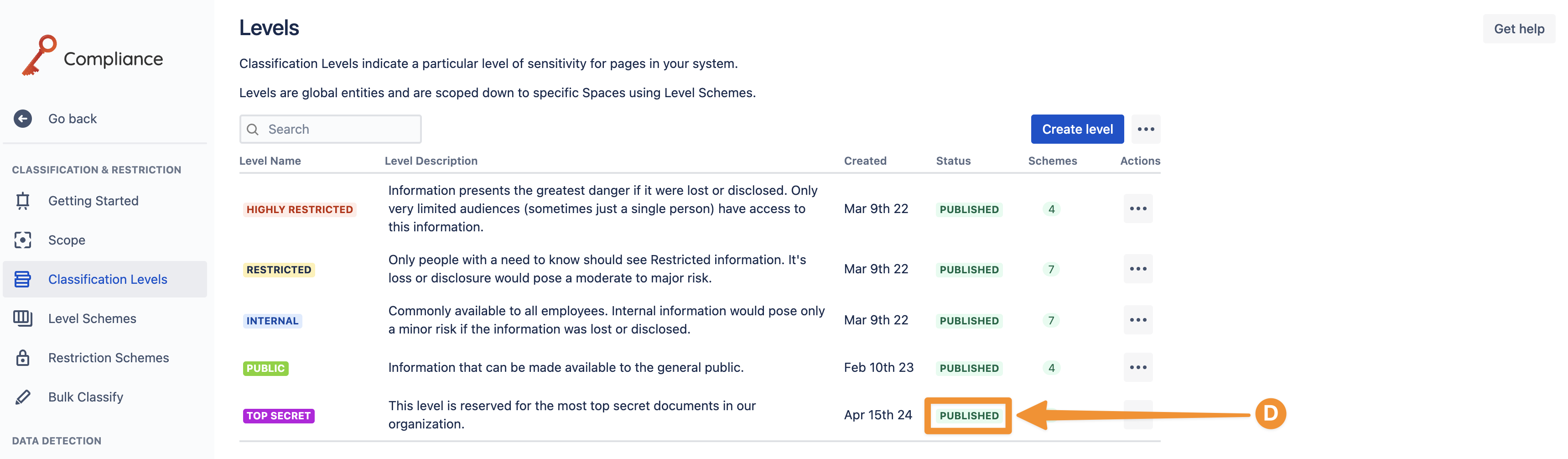
The status of the classification level will then be updated to Published (D).
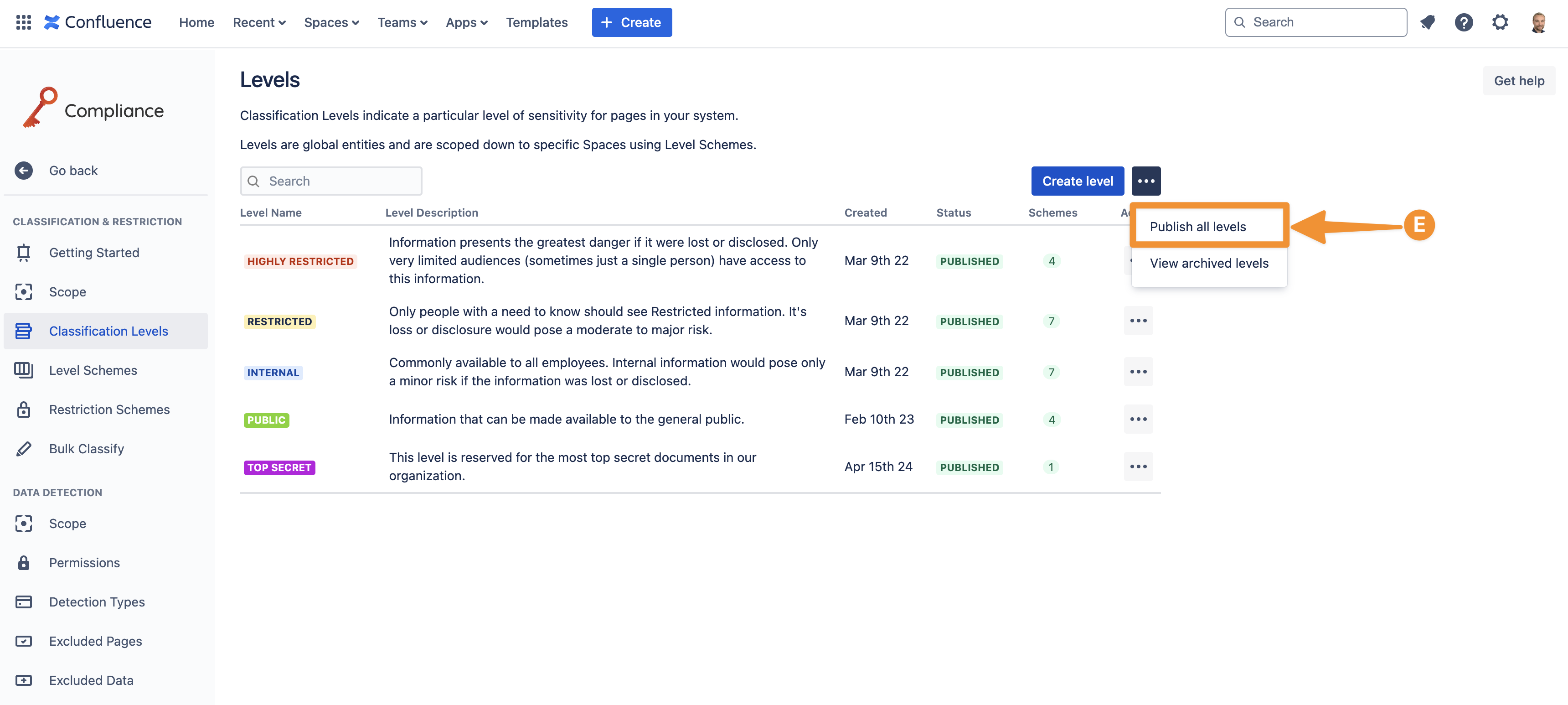
Alternatively, you can publish all draft classification levels by accessing the three-dot ellipsis at the top of the settings and selecting Publish all levels (E).
A Level can only be added to level schemes and restriction schemes After they have been published.
Need support? We’re here to help 🧡
If you have any questions or would like to speak with us, please don’t hesitate to reach out to our Customer Support team.