-20250819-084018.svg)
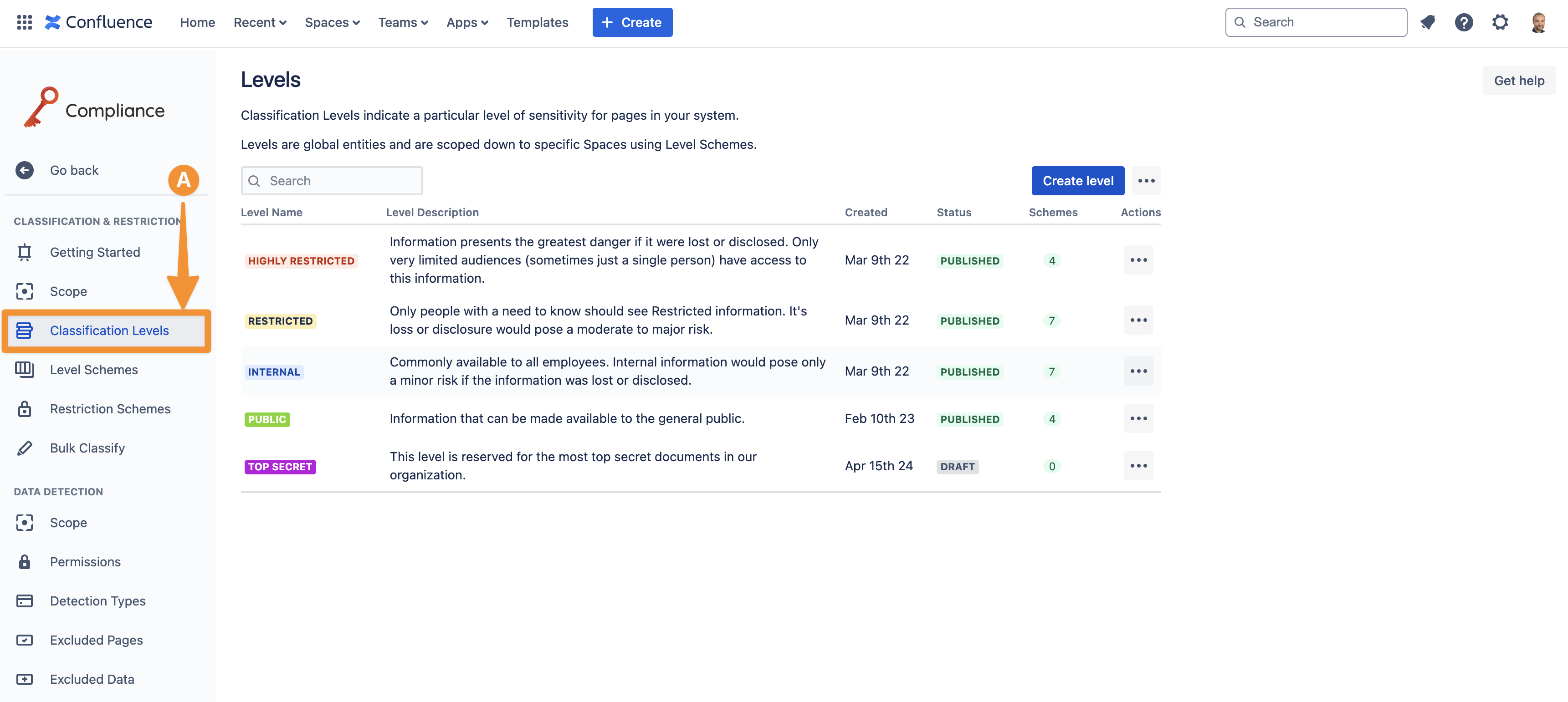
The classification levels in Compliance for Confluence are completely customizable. You can update the name, description, and color of any classification level by accessing Classification Levels (A) in the configuration settings.
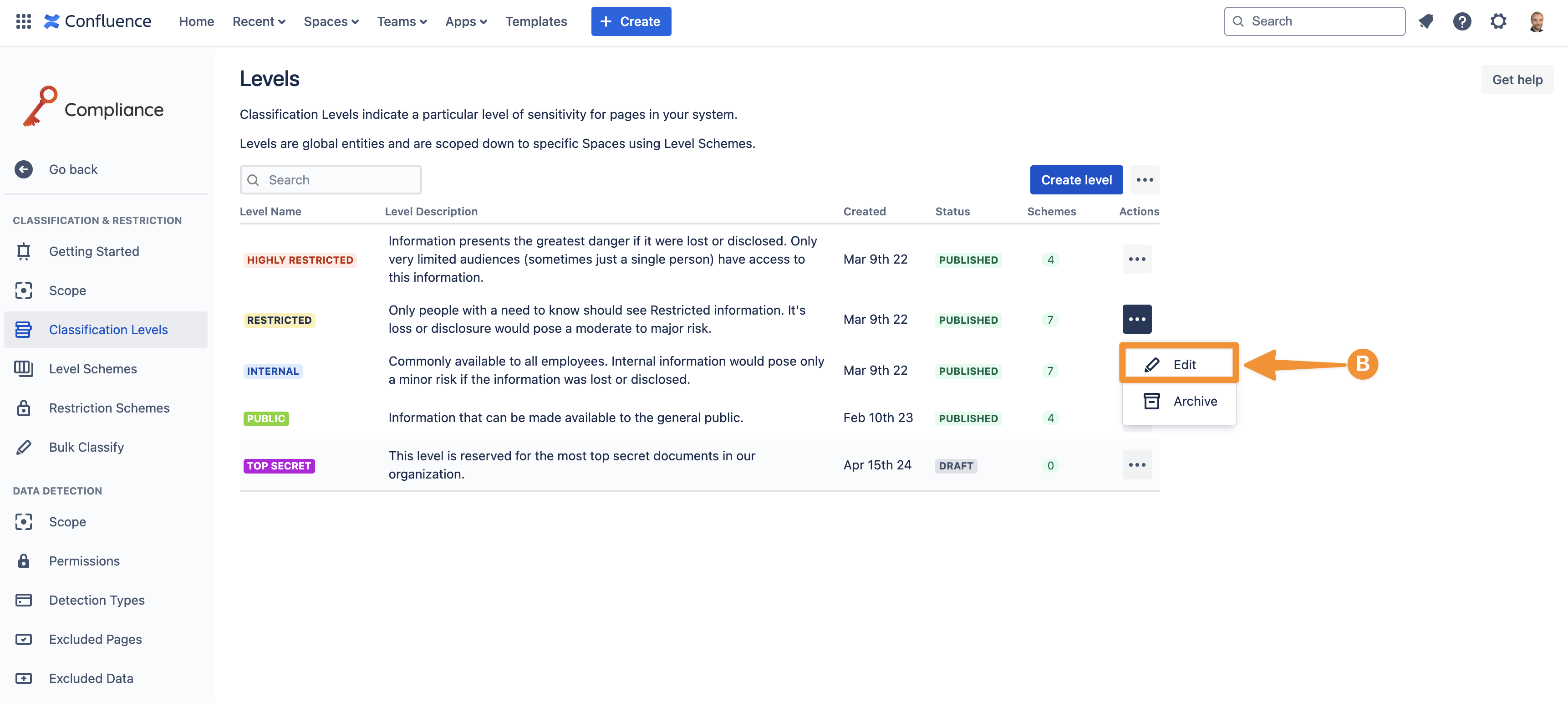
Next, navigate to the classification level that you want to update and click on the three-dot ellipsis and within the drop-down menu, click Edit (B).
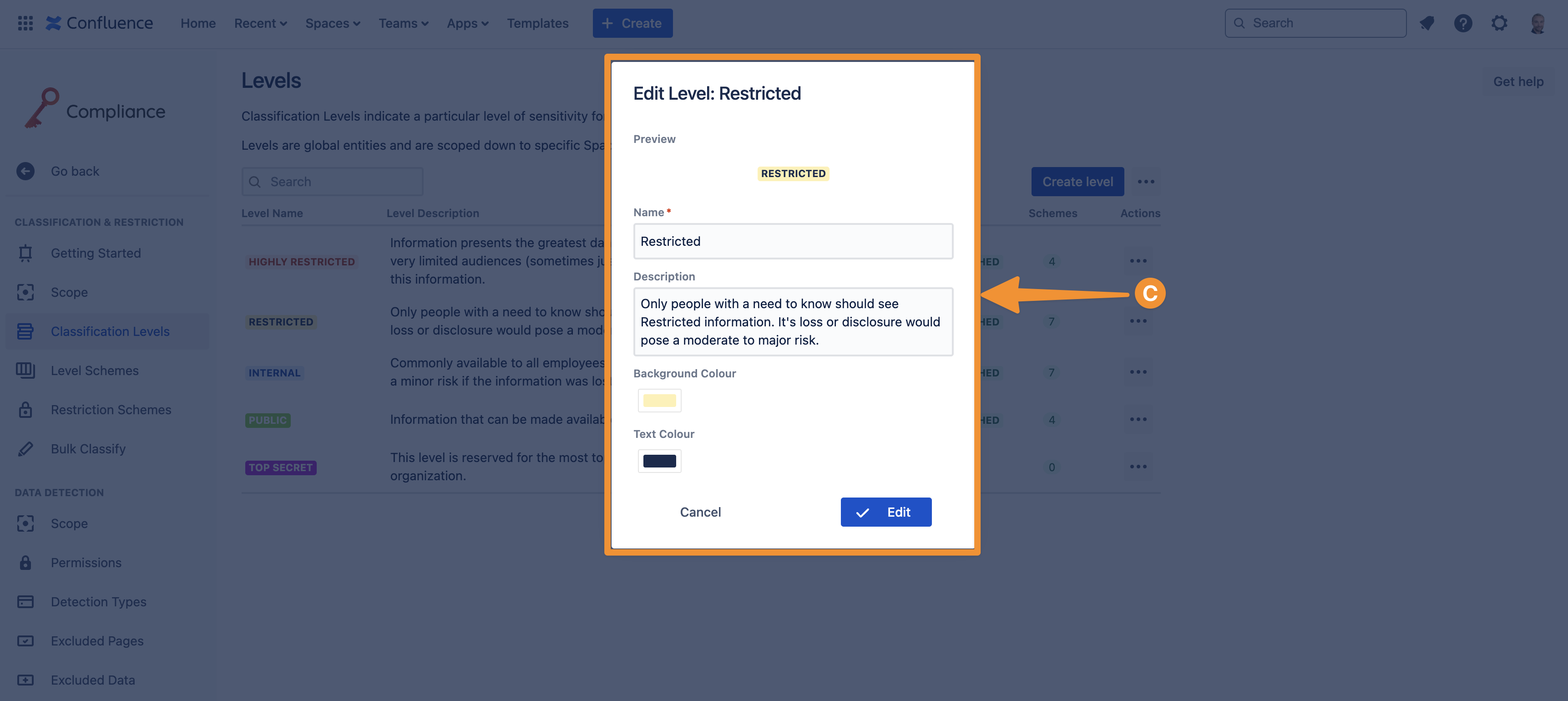
This will open a window ‘Edit level’ (C) where you can edit the setup of the classification level. Once you have saved your changes, these will take effect immediately.
Only Confluence admins can edit existing classification levels.
Need support? We’re here to help 🧡
If you have any questions or would like to speak with us, please don’t hesitate to reach out to our Customer Support team.