-20250819-084018.svg)
You can easily update a detector scheme and adjust the detectors which it contains.
Editing a Detector Scheme
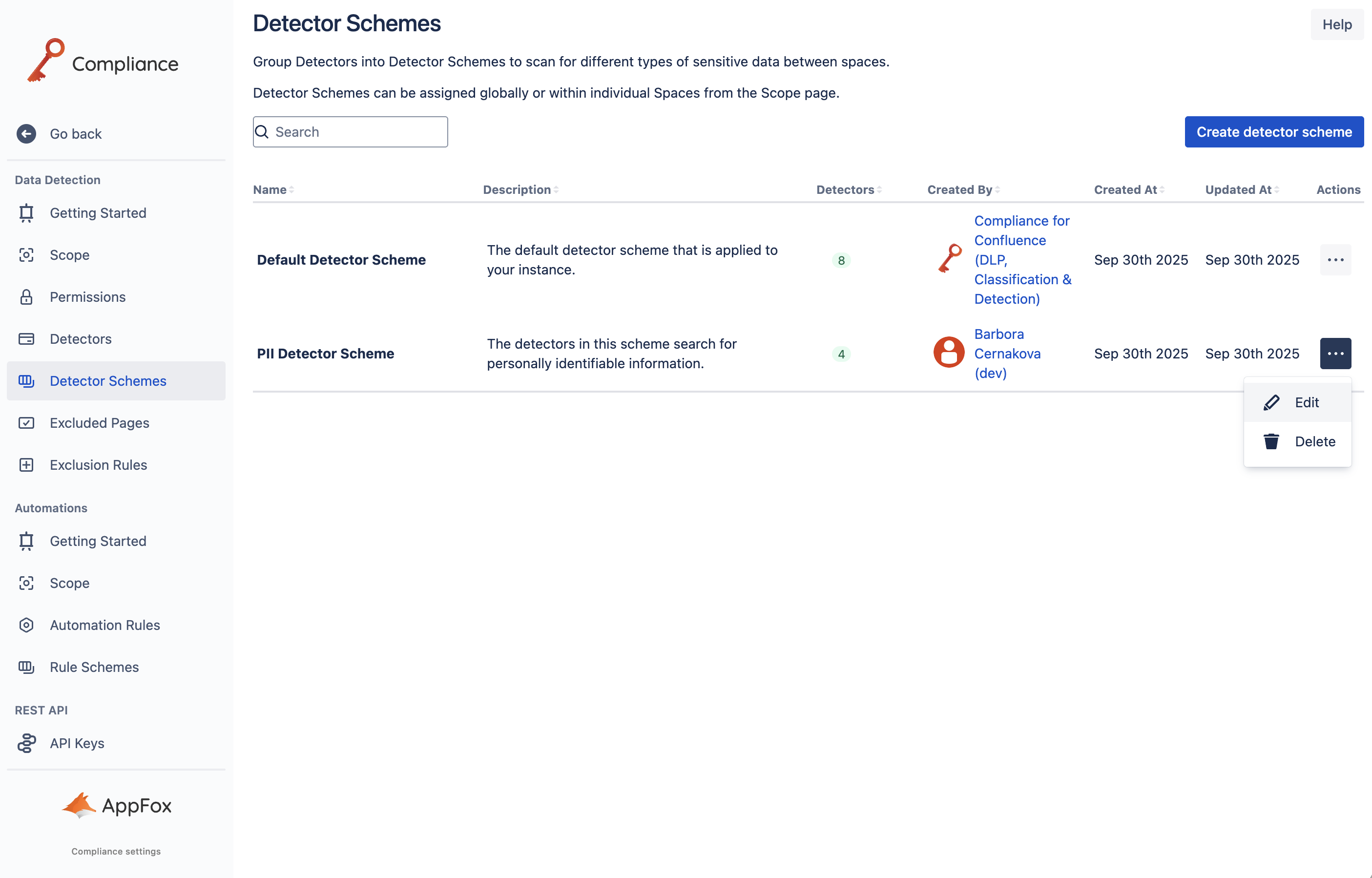
To edit a detector scheme, start by accessing the Detector Schemes settings in the Administration area of Compliance for Confluence, within the Data Detection section. Next, navigate to the detector scheme you want to edit and click the three-dot ellipsis, and select Edit to start making the changes to the selected detector scheme.
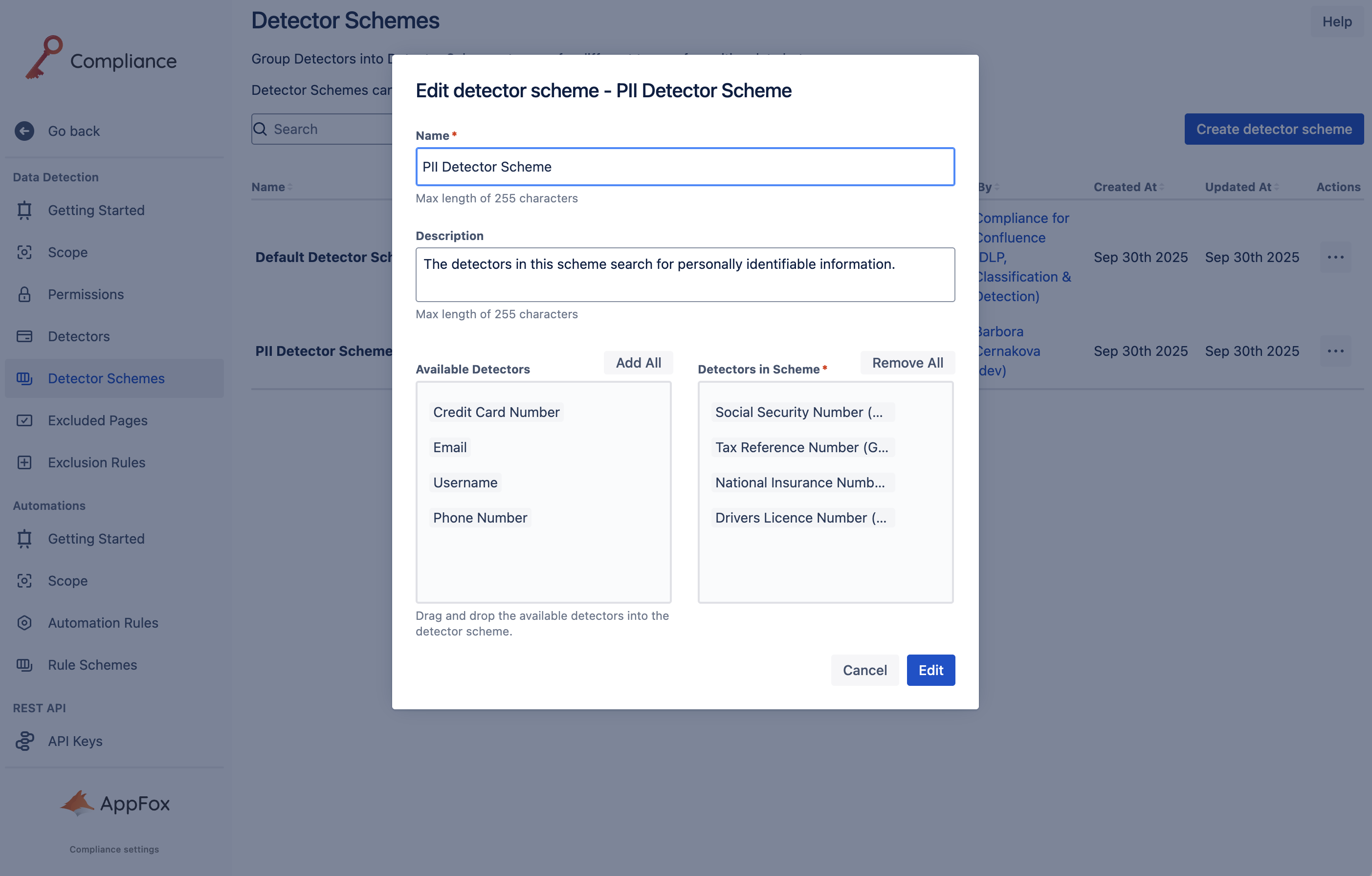
Once the Edit dialog opens, you can update the detector scheme’s name, description, and the detectors used as part of the scheme. Once you have completed your changes, click Edit, and these changes will be saved.
Need support? We’re here to help 🧡
If you have any questions or would like to speak with us, please don’t hesitate to reach out to our Customer Support team.