-20250819-084018.svg)
Confluence admins can easily group system and custom detectors into detector schemes, and these can be applied to your entire Confluence instance or specific spaces, depending on your requirements.
Detector schemes have been designed to provide greater flexibility and customization when using sensitive data detection in Compliance for Confluence.
Creating a Detector Scheme
To start creating your detector schemes, access Administration in the left-hand navigation bar within Compliance. Next, navigate to the Detector Schemes within the Data Detection section, which will display the Default Detector Scheme. To create your own, click on Create detector scheme.
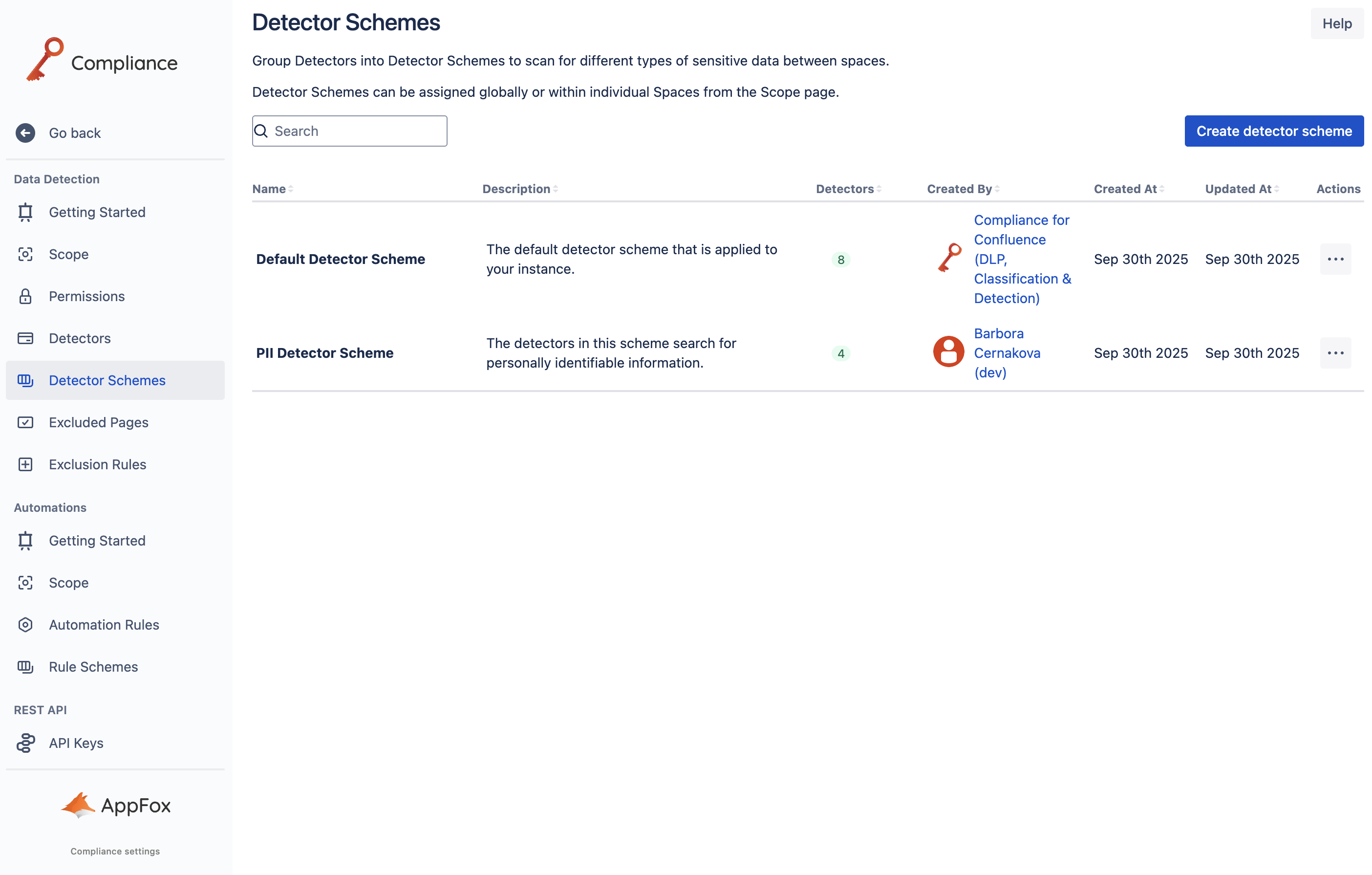
Once the Create detector scheme dialog has opened, you can start defining your detector scheme. Add a name and description to the detector scheme and customize which detectors you want to include using the drag-and-drop feature.
Important: Don’t forget to apply your detector scheme to a space or at a global level to use it in your Confluence instance.
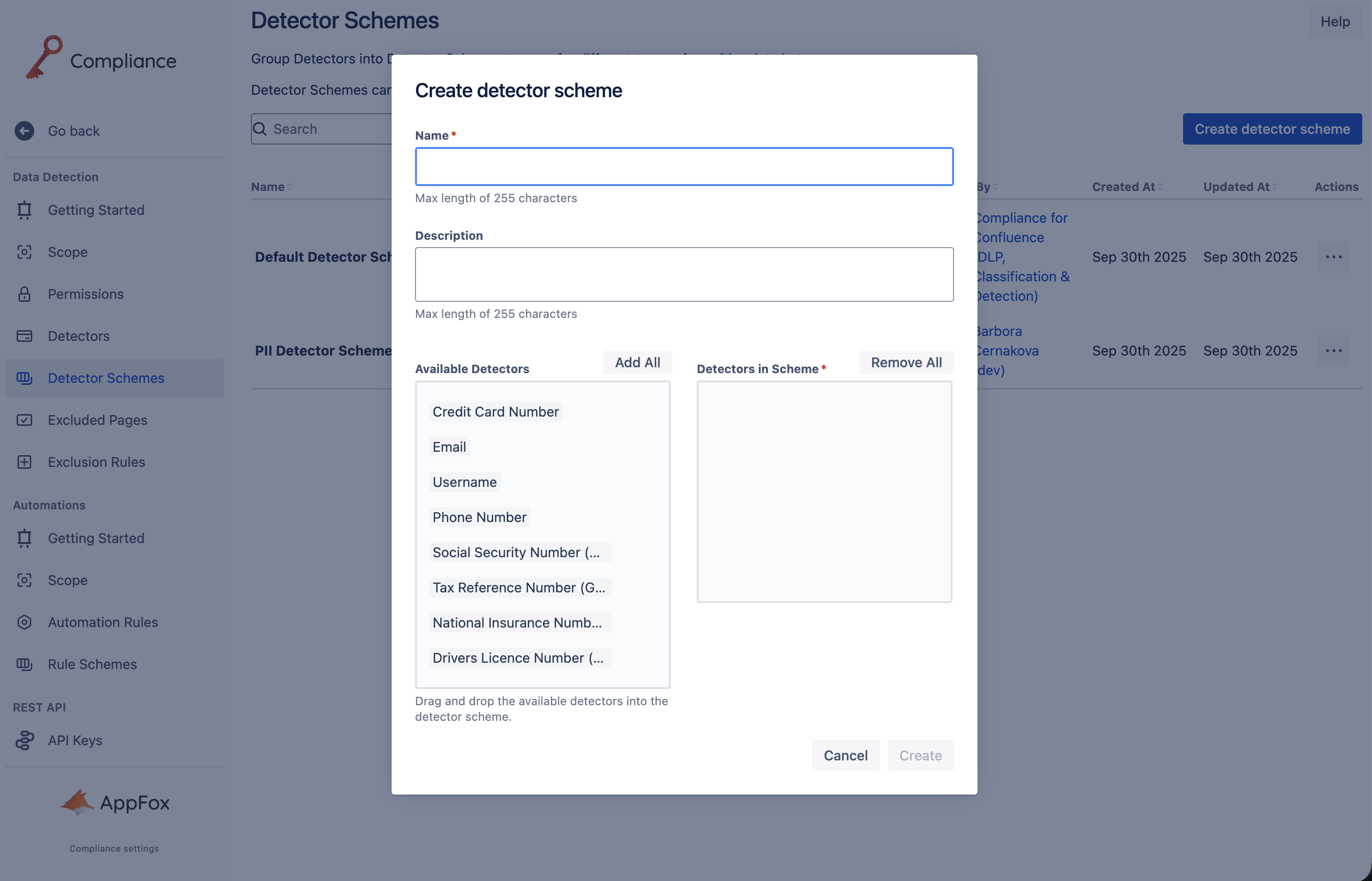
Once you are happy with your selection, click Create, and the detector scheme will be created and added to the table on the Detector Schemes page.
Need support? We’re here to help 🧡
If you have any questions or would like to speak with us, please don’t hesitate to reach out to our Customer Support team.