-20250819-084018.svg)
After creating your custom detector schemes, these can then be applied to Confluence in two ways; globally or to specific spaces.
To manage these settings, first navigate to the Administration area of Compliance. Then find the Data Detection section and open the Scope page. Here you can configure how detector schemes are applied.
Applying a Detector Scheme Globally
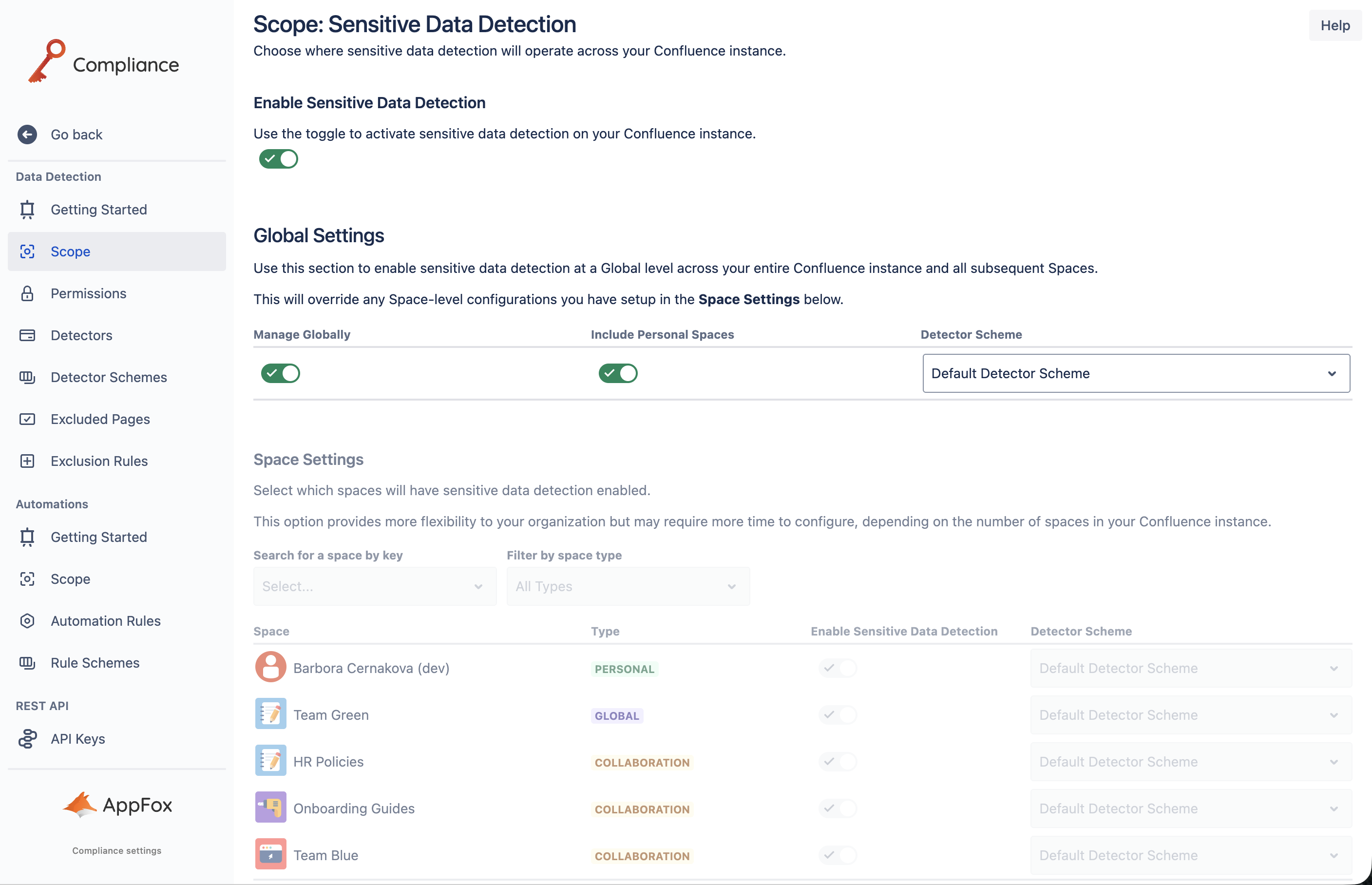
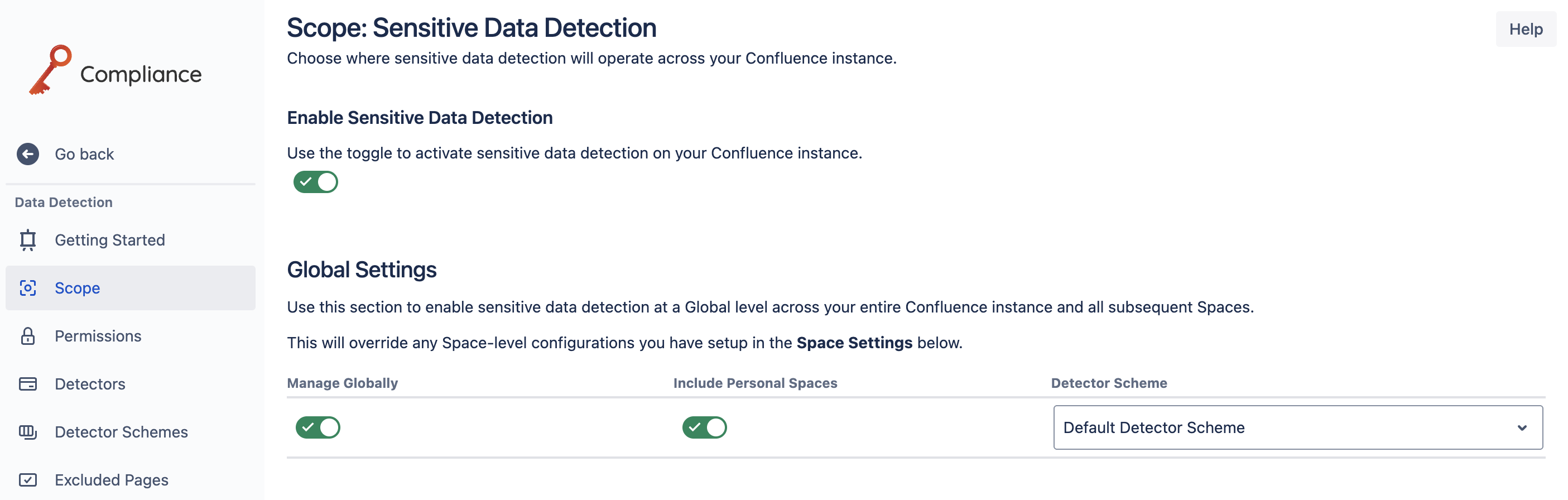
You can apply a single detector scheme to your entire Confluence instance by ensuring the Manage Globally toggle is activated. This will allow you to select a detector scheme which will be applied at the global level.
For more information about using the Scope settings check out our admin guide.
Applying Detector Schemes to Individual Spaces
For a more personalized and tailored approach to how sensitive data detectors are used in Confluence, you can apply detector schemes to specific spaces. This is particularly useful if there are teams or departments using Confluence who have specific requirements for their spaces.
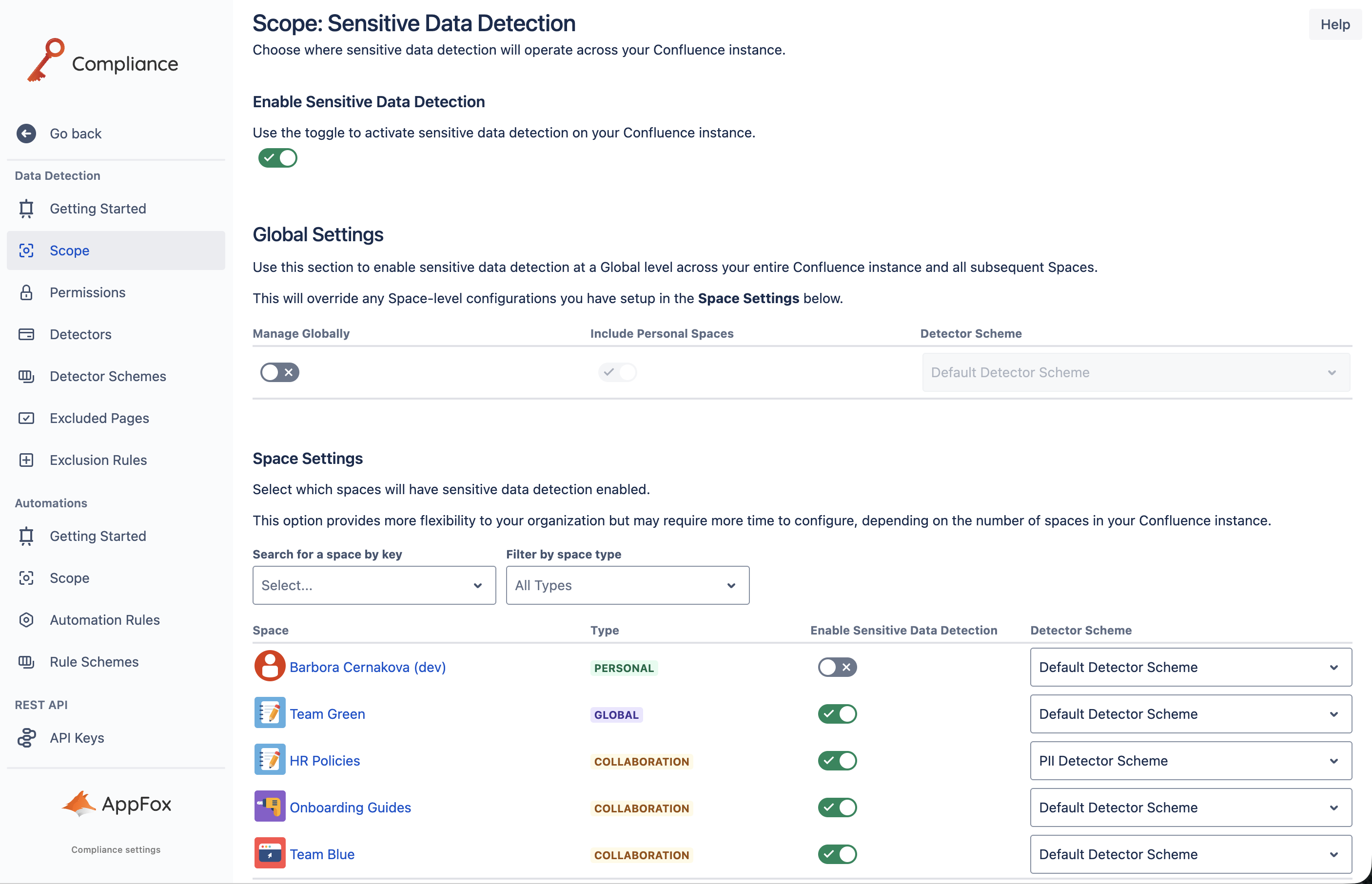
To apply detector schemes to individual spaces, start by ensuring the Manage Globally option is deactivated. This will enable you to configure settings per individual spaces under the Space Settings heading on the Scope page.
Next, find the space(s) you want to apply detector schemes to and ensure the Enable Sensitive Data Detection option is activated. Now you can select your detector scheme within the Detector Scheme dropdown menu. Once a detector scheme has been chosen, it will be automatically applied to this space in Confluence.
You can also use these settings to disable sensitive data detection on specific spaces.
Need support? We’re here to help 🧡
If you have any questions or would like to speak with us, please don’t hesitate to reach out to our Customer Support team.