-20250819-084018.svg)
As Confluence pages evolve and information is added or removed, the classification sub-level of the page may need to be updated to reflect a change in content.
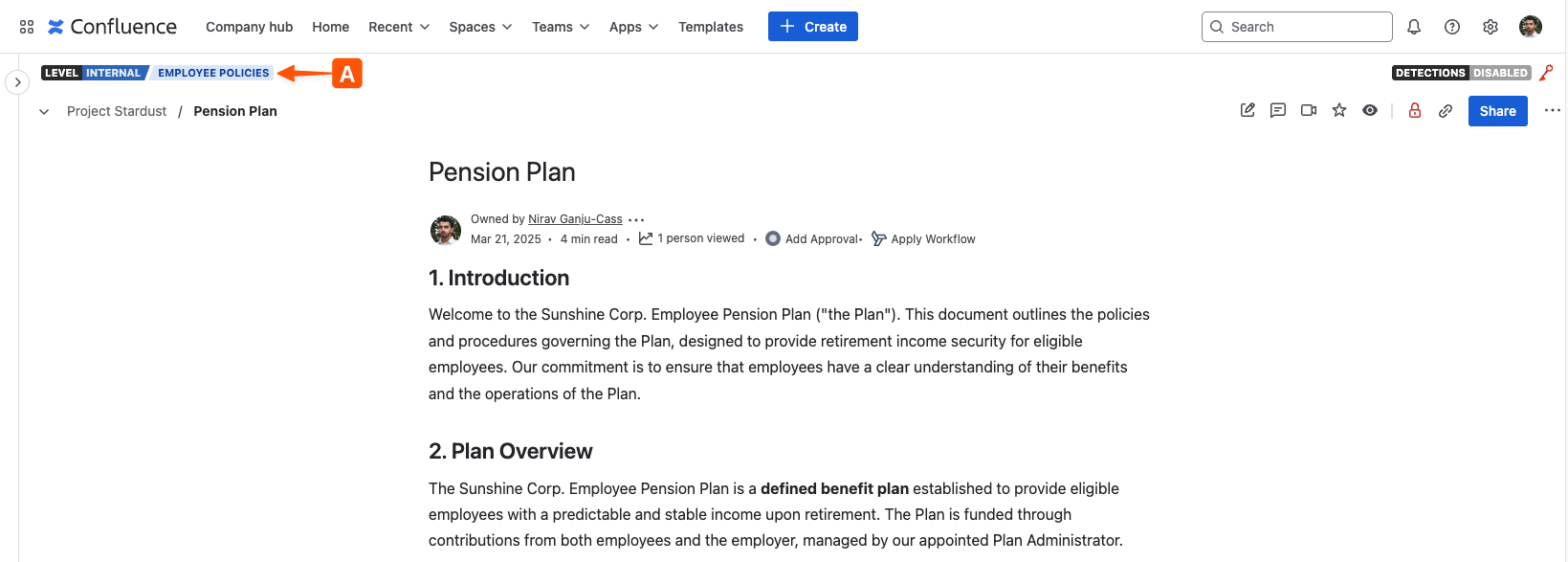
To change a classification sub-level, start by opening the Confluence page and then click on the current classification indicator (A) located above the breadcrumb navigation.
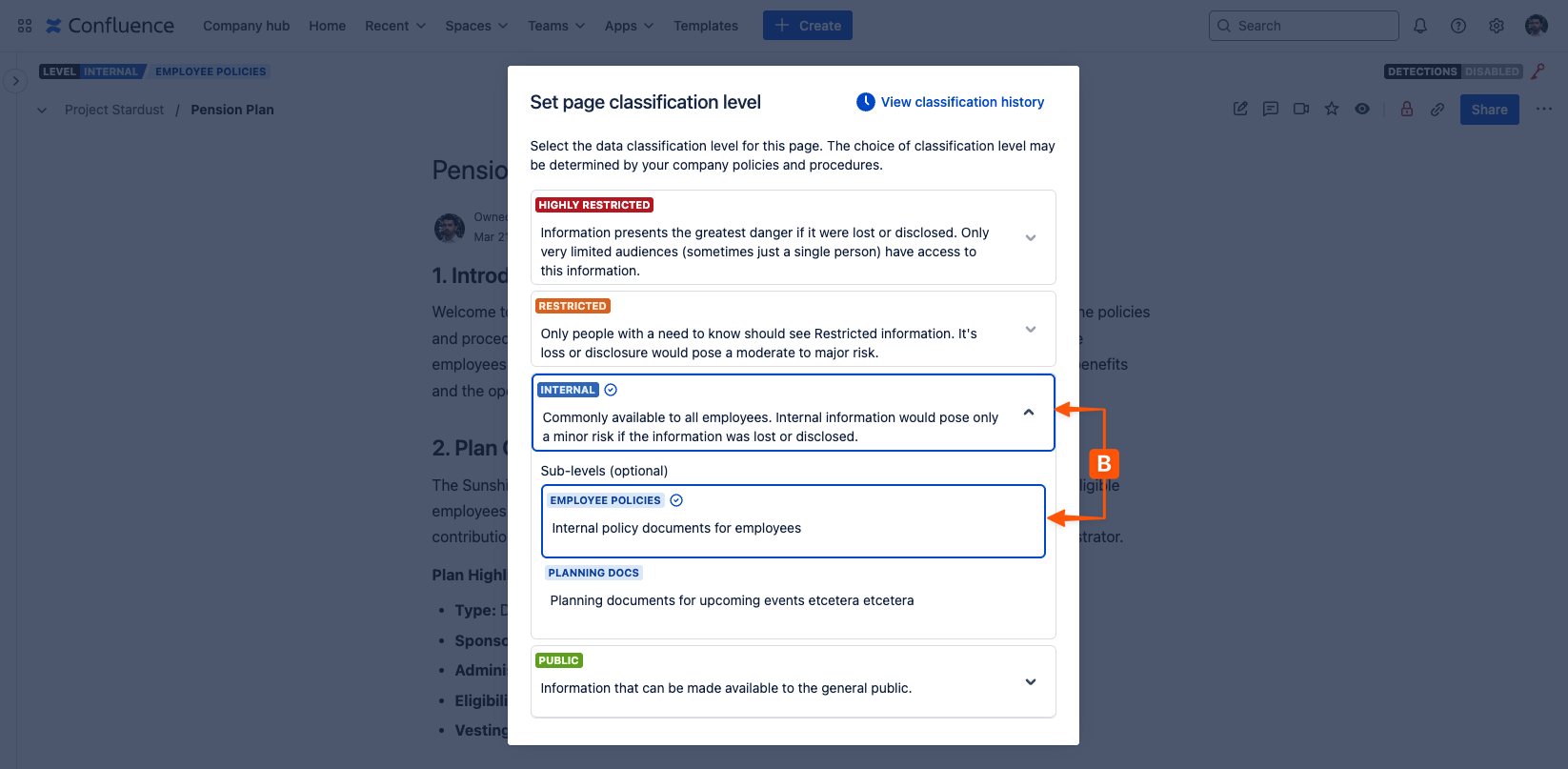
This will open a window that displays all available page classification levels, with the current level and sub-level (B) highlighted. Clicking on a new classification sub-level will apply it to the page alongside the parent level (if this is different to the level currently on the page).
Next steps 💪
Need support? We’re here to help 🧡
If you have any questions about Compliance or would like to speak with us, please don’t hesitate to reach out to our Customer Support team.