-20250819-084018.svg)
As you utilise the Page Approval Status macro, you may want to hide information that is less relevant to you.
You can customise what information is shown to you in the Page Approval Status macro across your Confluence Space, with the configuration selected then applied to all pages in the Space that use this macro.
Important: the Page Approval Status Macro can only be configured by a Space Admin.
Configuring the Page Approval Status Macro
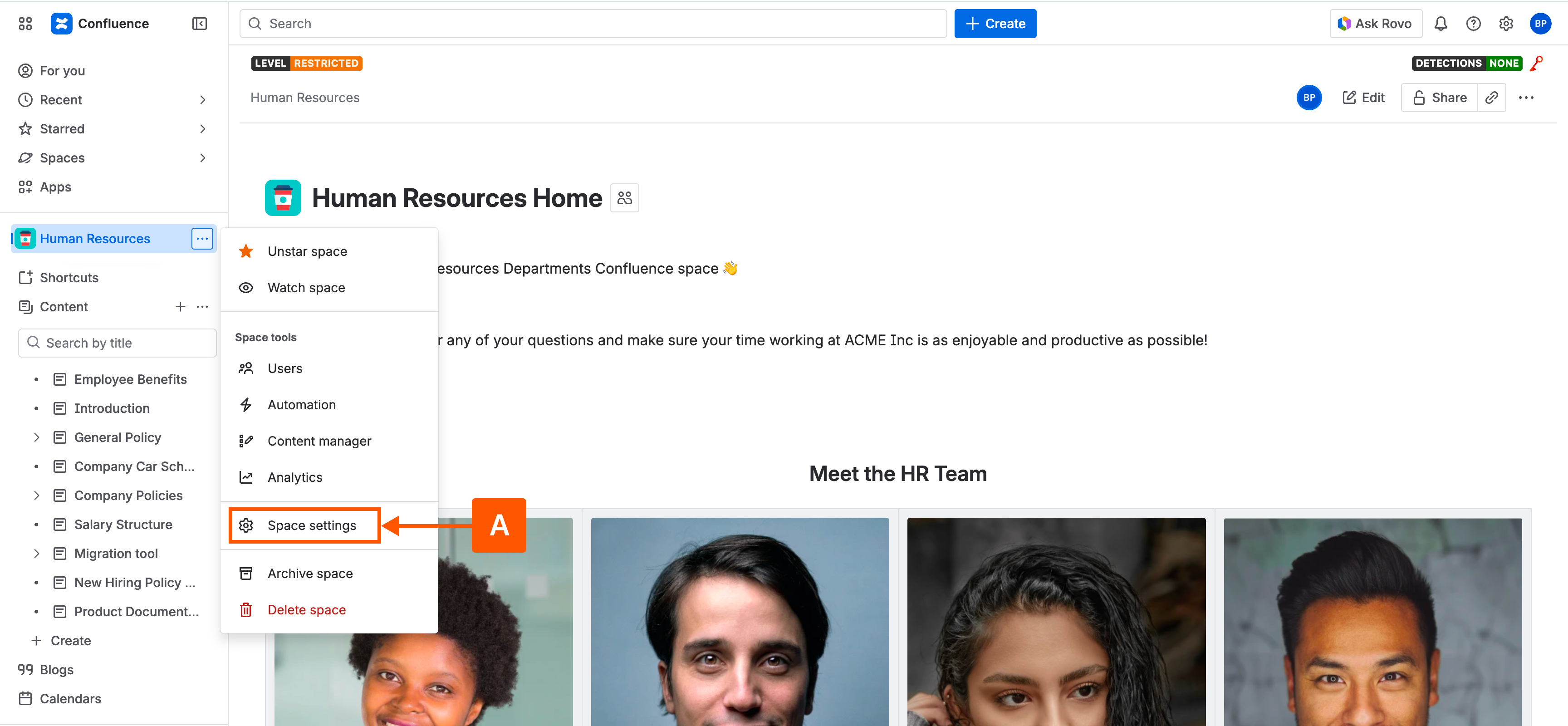
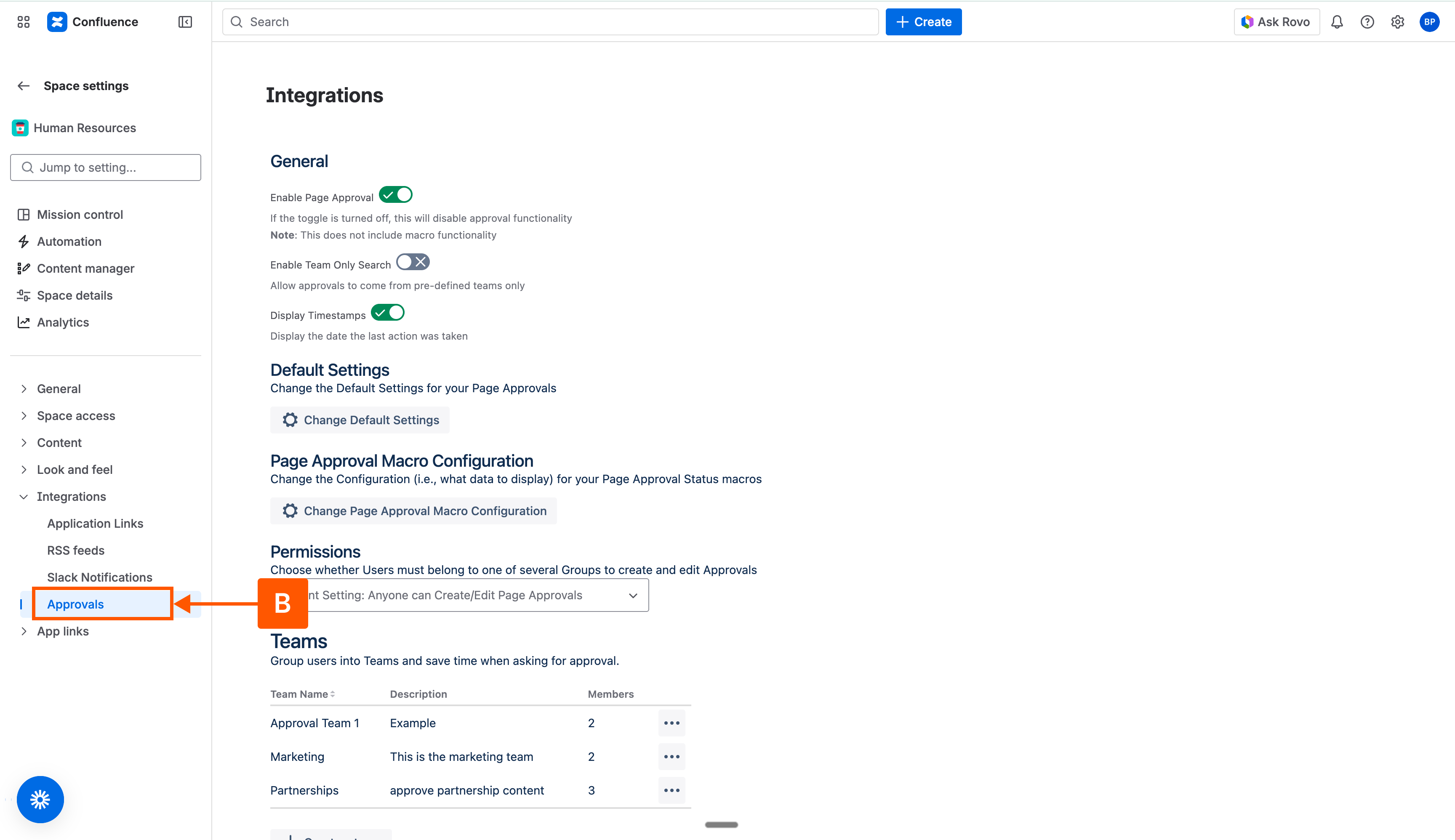
To customise the data displayed, navigate to the Space Settings (A) and click on Approvals (B) under Integrations. This will open the space settings for Approvals for Confluence Cloud.
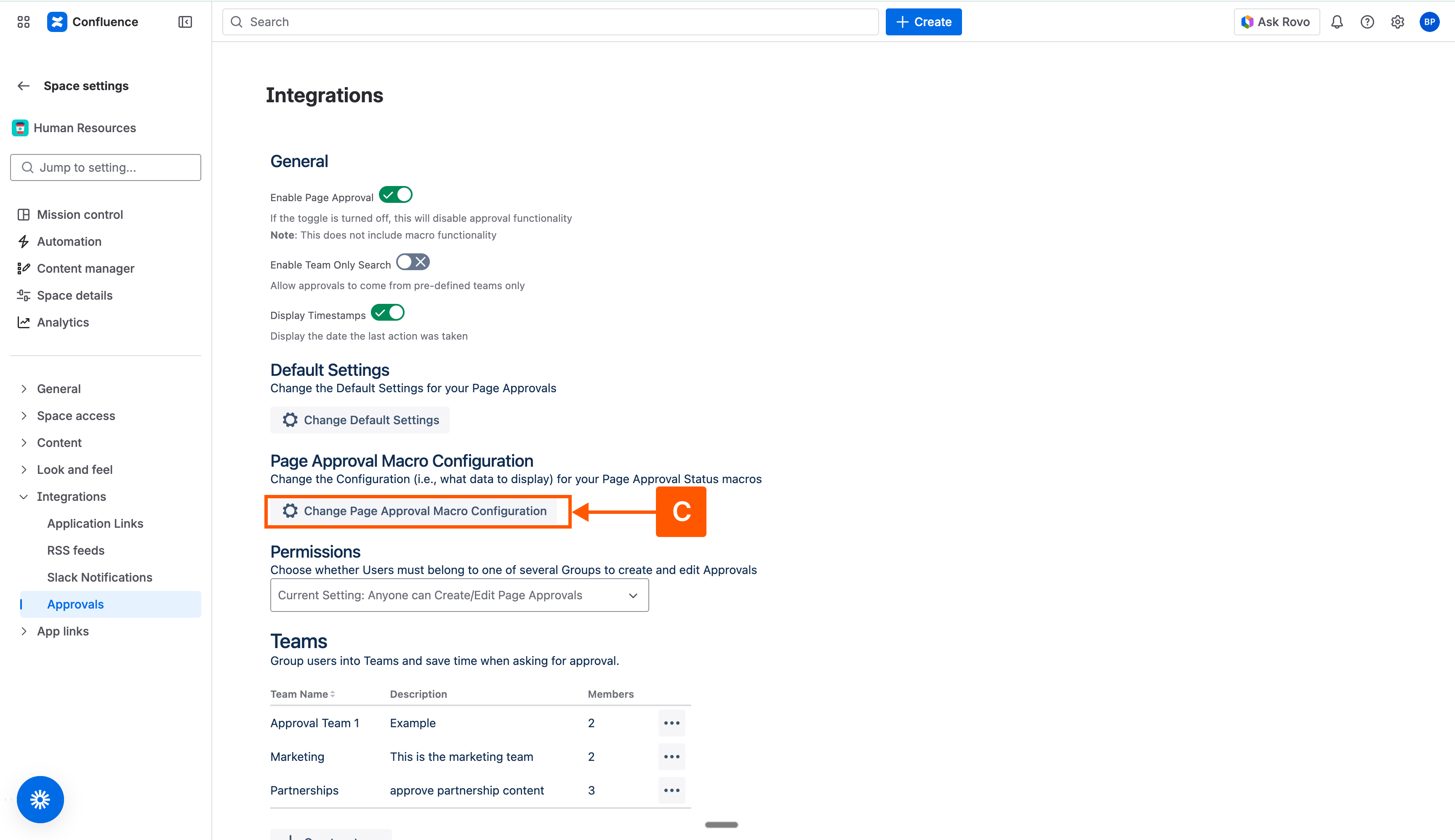
Once opened, navigate to the page approval macro configuration and click on Change Page Approval Macro Configuration (C).
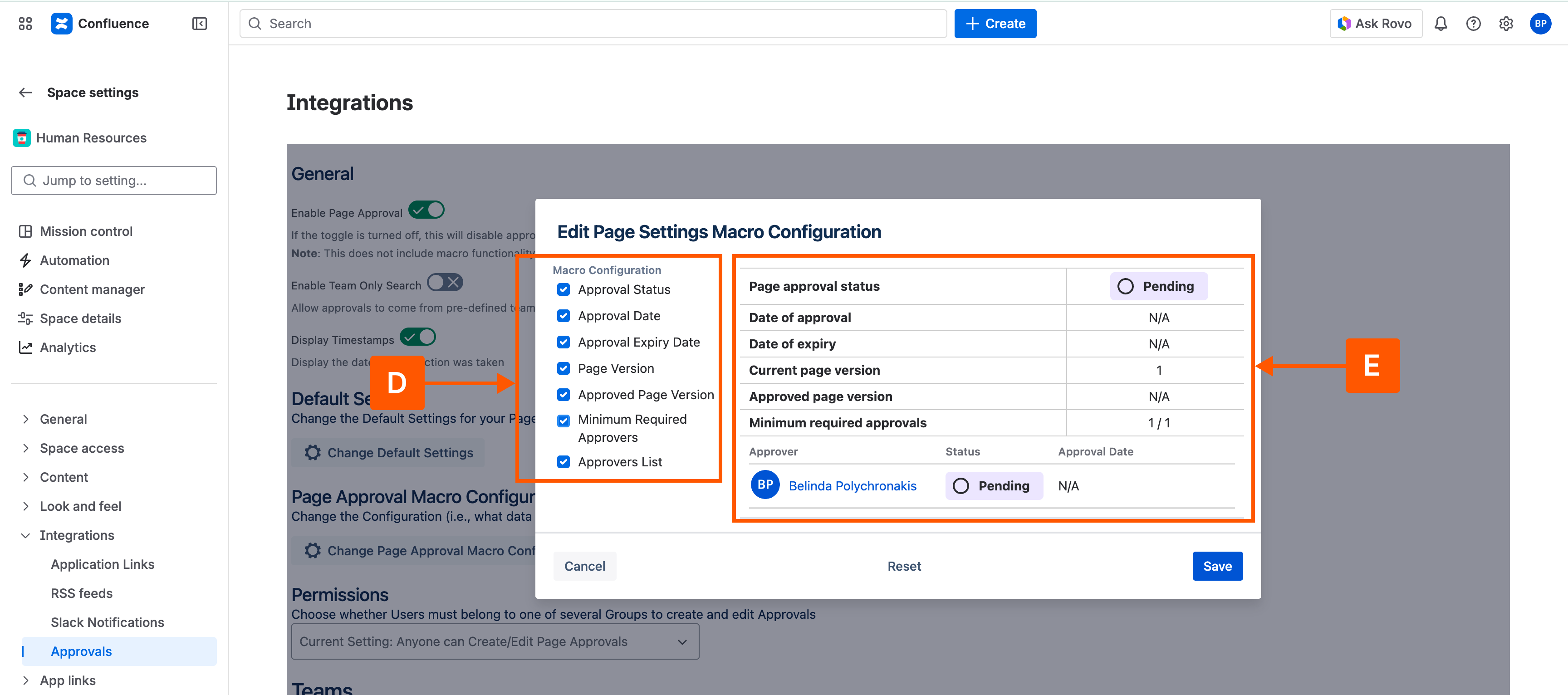
A display window will open where you can go ahead and begin customising the data displayed on the macro (D). As you change the settings, an example (E) will show what the macro will look like to your users.
Once you are happy with the configuration, press Save and the changes will take immediate effect. This means that any page approval status macros on pages viewed (both new, current, and historic) will only display the sub-set of information that you have chosen.
Need support? We’re here to help 🧡
If you have any questions about Approvals or would like to speak with us, please don’t hesitate to contact our Customer Support team.