
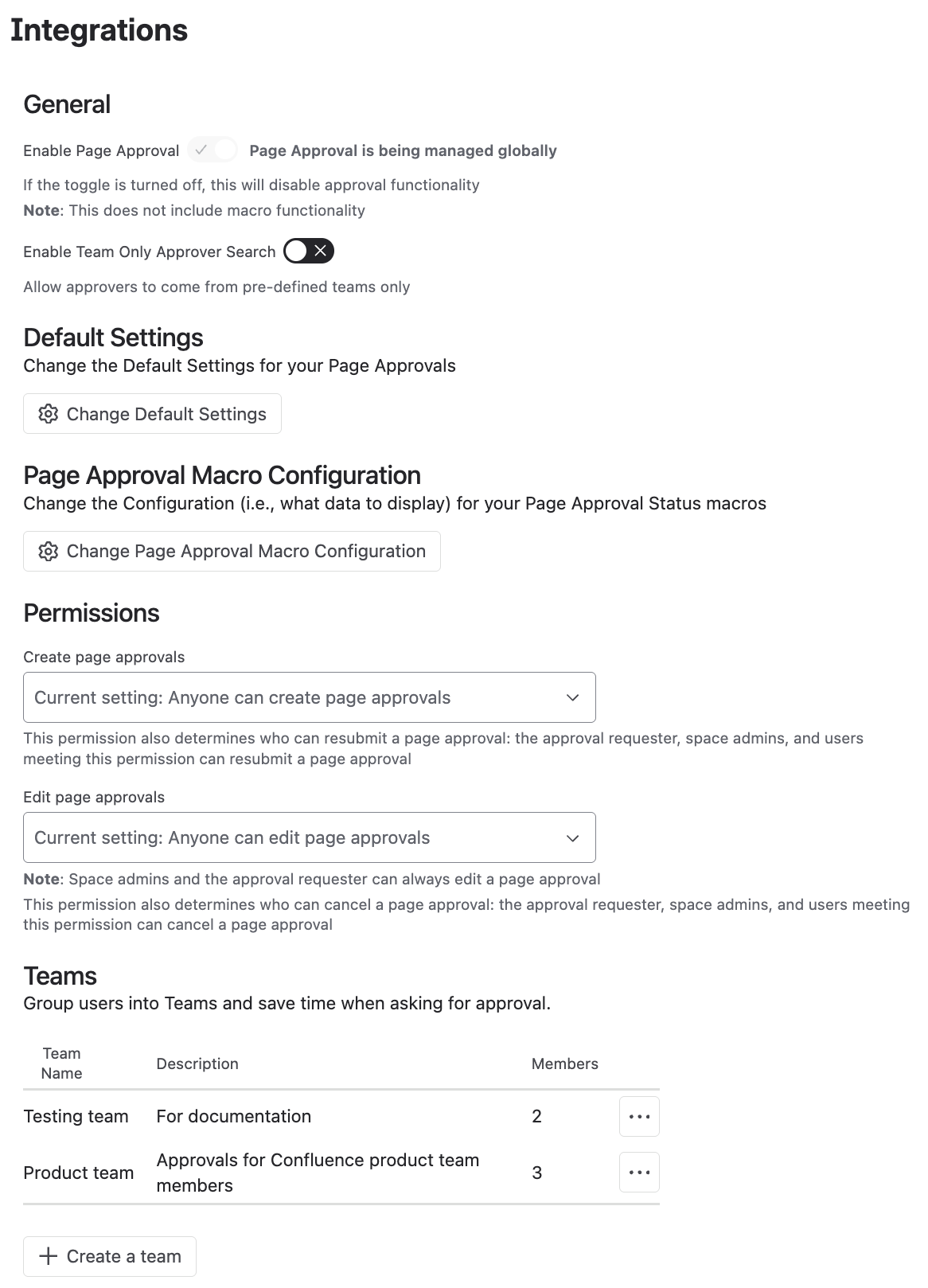
If certain types of content in Confluence always need approval from the same group of people, use Approval Teams to save time. Instead of adding approvers one by one for each approval, you can group them into a pre-set team.
Only Space Admins can create Approval Teams.
Create an Approval Team
-
Go to Space Settings > Integrations > Approvals.
-
Under Teams, click Create a team.
-
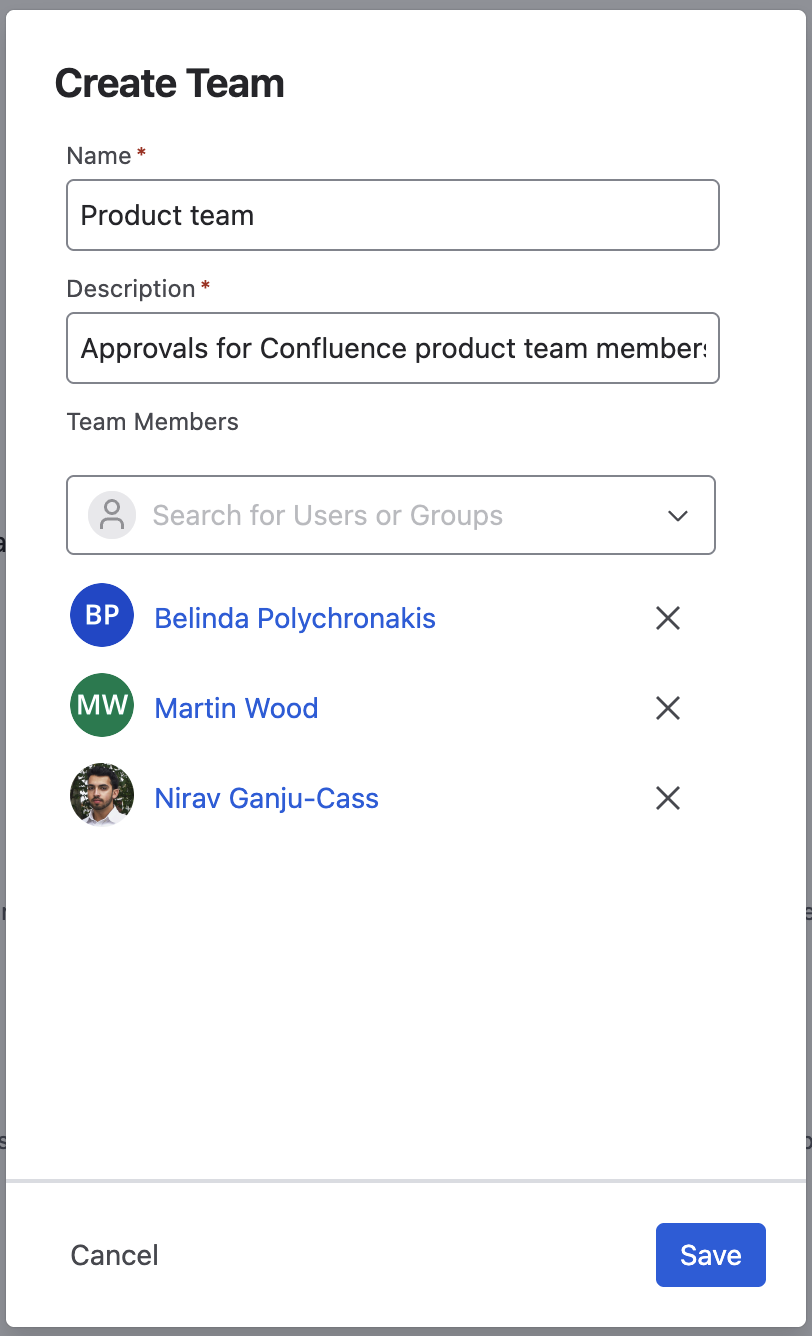
In the window shown below, enter a name, a short description and the approvers you need.
-
Click Create. The new Approval Team is added to Approvals for Confluence.
Update an Approval Team
You can update an Approval Team at any time:
-
In the list of Approval Teams, find the team you want to change.
-
Click the three-dot menu (…) and select Edit.
-
Make your changes in the window that opens, then click Save.
Need support? We’re here to help 🧡
If you have any questions or would like to speak with us about Approvals for Confluence, please reach out to our Customer Support team.