-20250819-084018.svg)
We’ve now officially migrated Approvals for Confluence Cloud to Atlassian’s Forge platform! This allows us to deliver more value to our customers more quickly.
During the migration, some aspects of the app were moved, changed, or removed. These changes are detailed below.
The Forge migration work is officially commenced by version 3.0.0 of the app, which requires a manual update by admins.
Please update Approvals Cloud to at least v3.0.0 at the earliest convenience to ensure you are up-to-date with the latest developments of the app.
Applied Changes
Removal of redundant Confluence links
As of , we have removed the following app links:
-
The Pending Approvals link from the user menu (seen in the dropdown menu after clicking on your avatar in the top-right corner of Confluence)
-
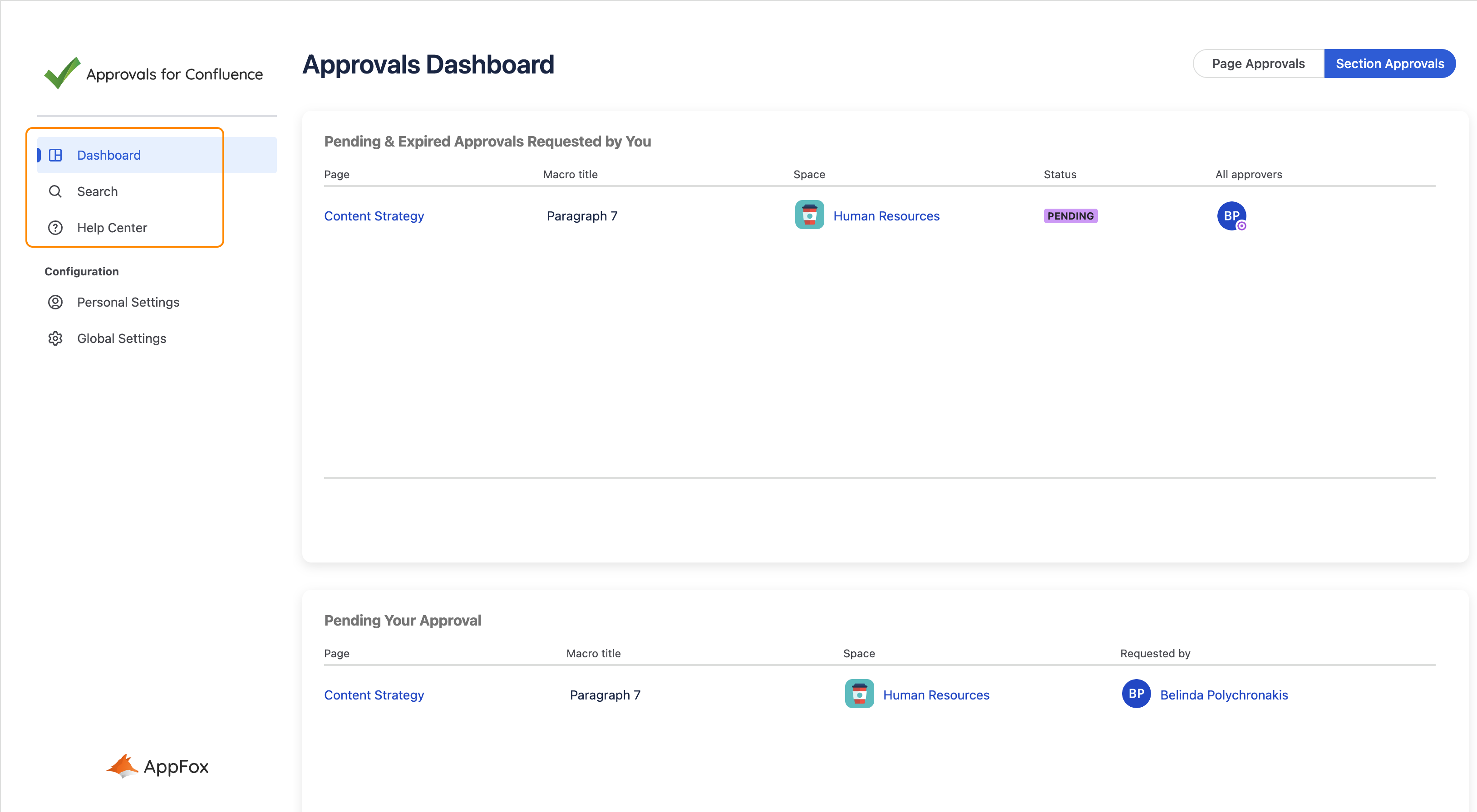
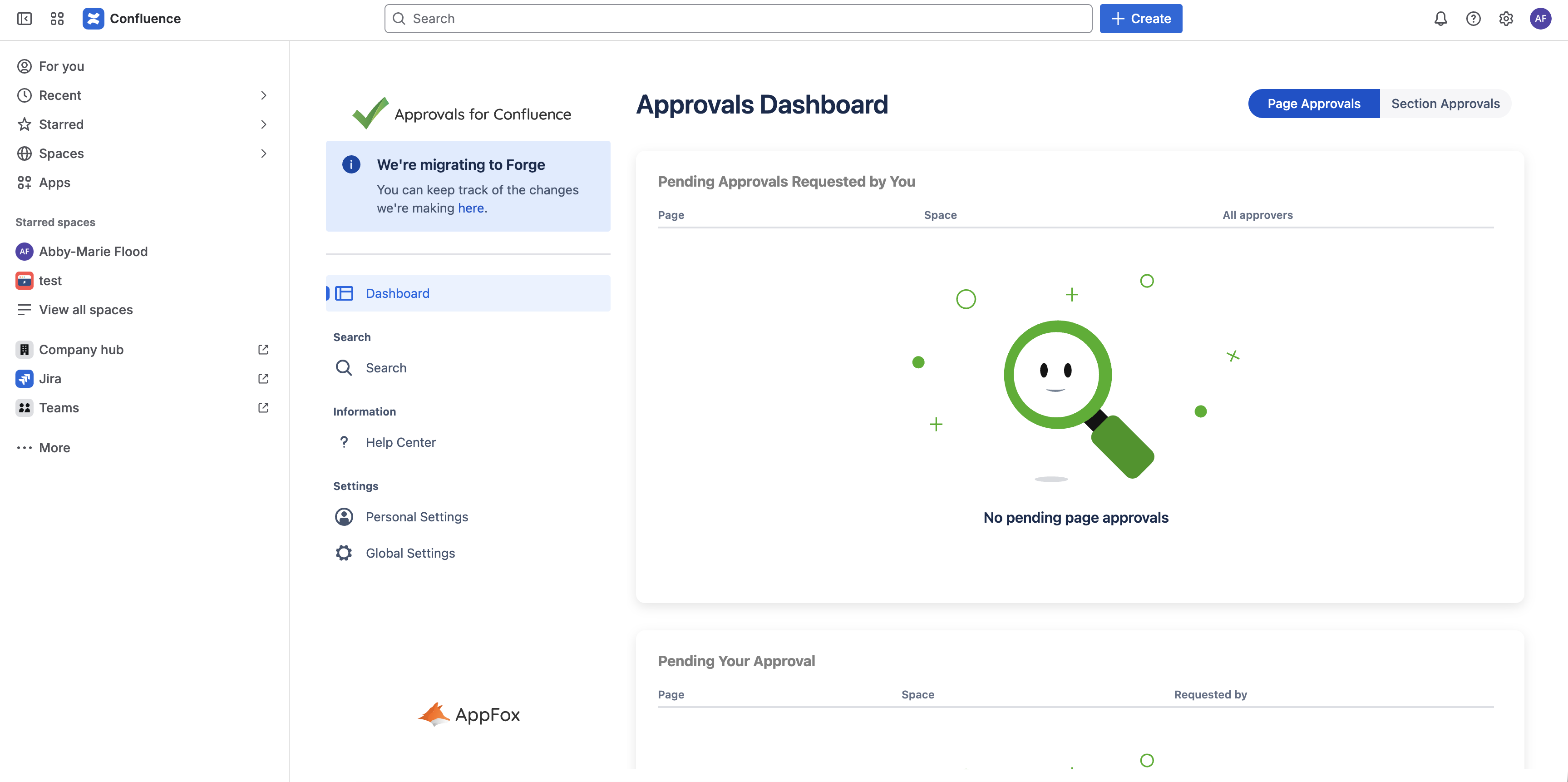
Please use the Dashboard in the Approvals app page
-
-
The Approvals Help Center link from the Space apps section of the navigation panel
-
Please use the Help Center in the Approvals app page
-
-
The Approvals Search link from the Space apps section of the navigation panel
-
Please use the Search in the Approvals app page
-
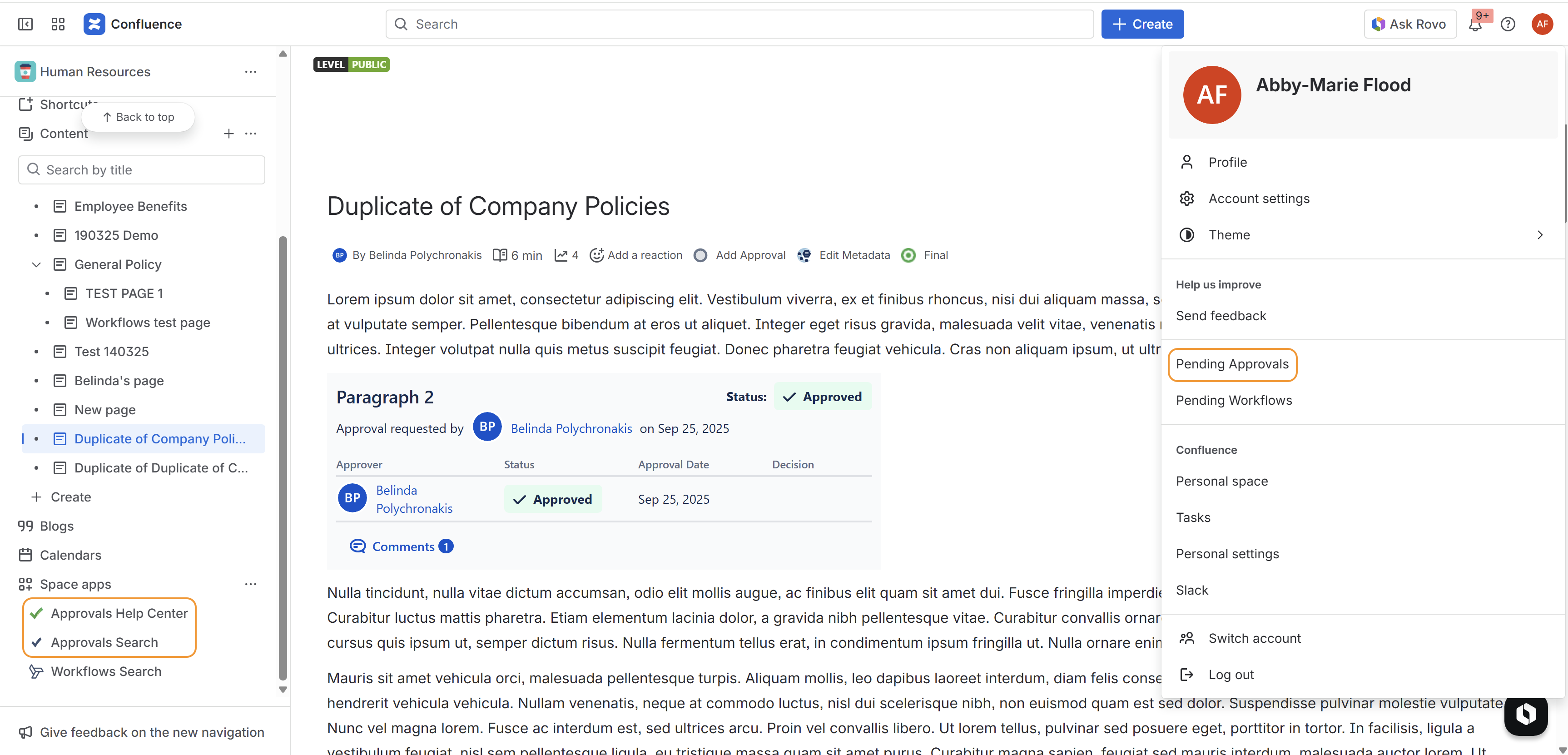
We believe that having fewer links scattered across Confluence leads to a more streamlined and positive user experience, so all these pages are still available in the Approvals app page.
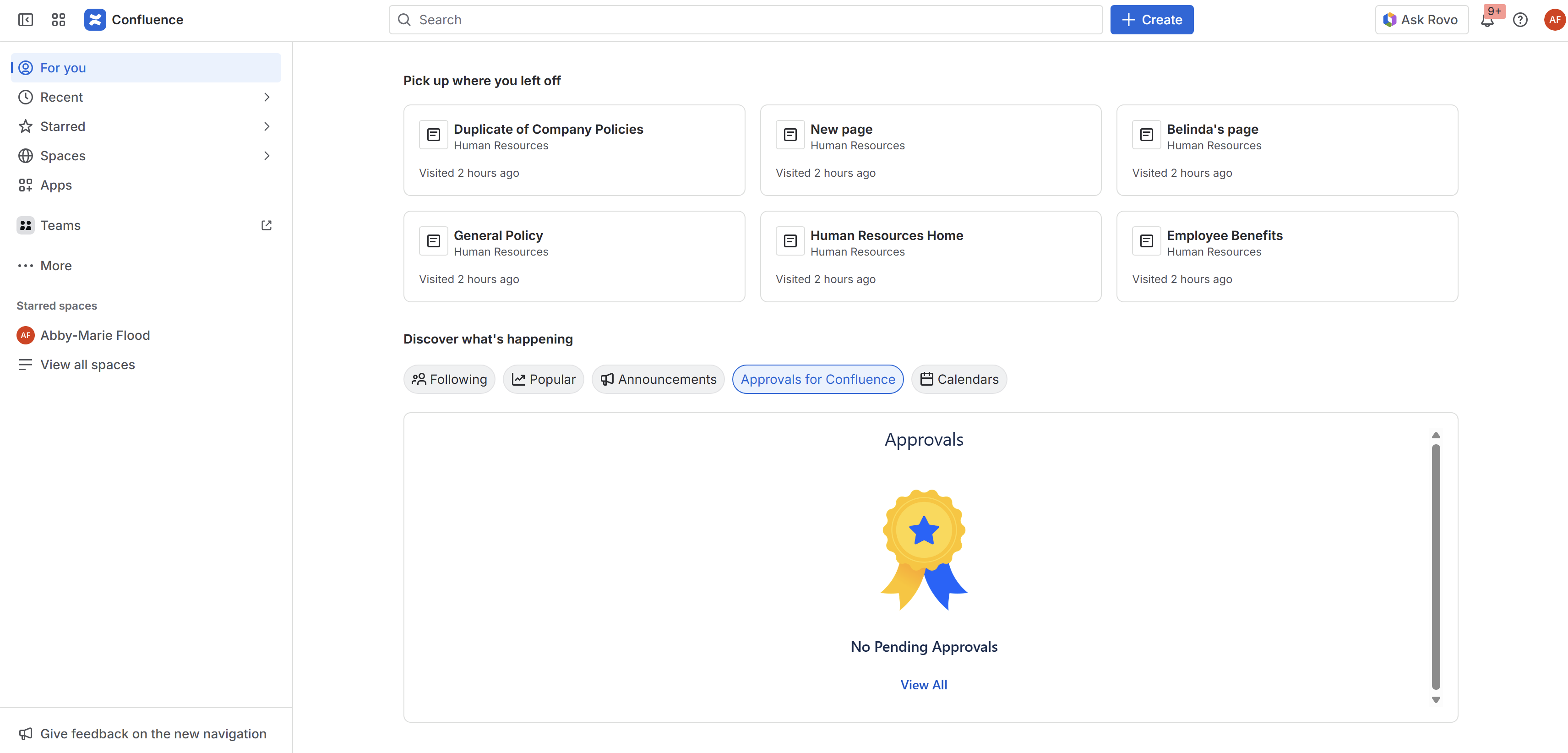
Navigate to the Approvals App Page as per the below screenshots.

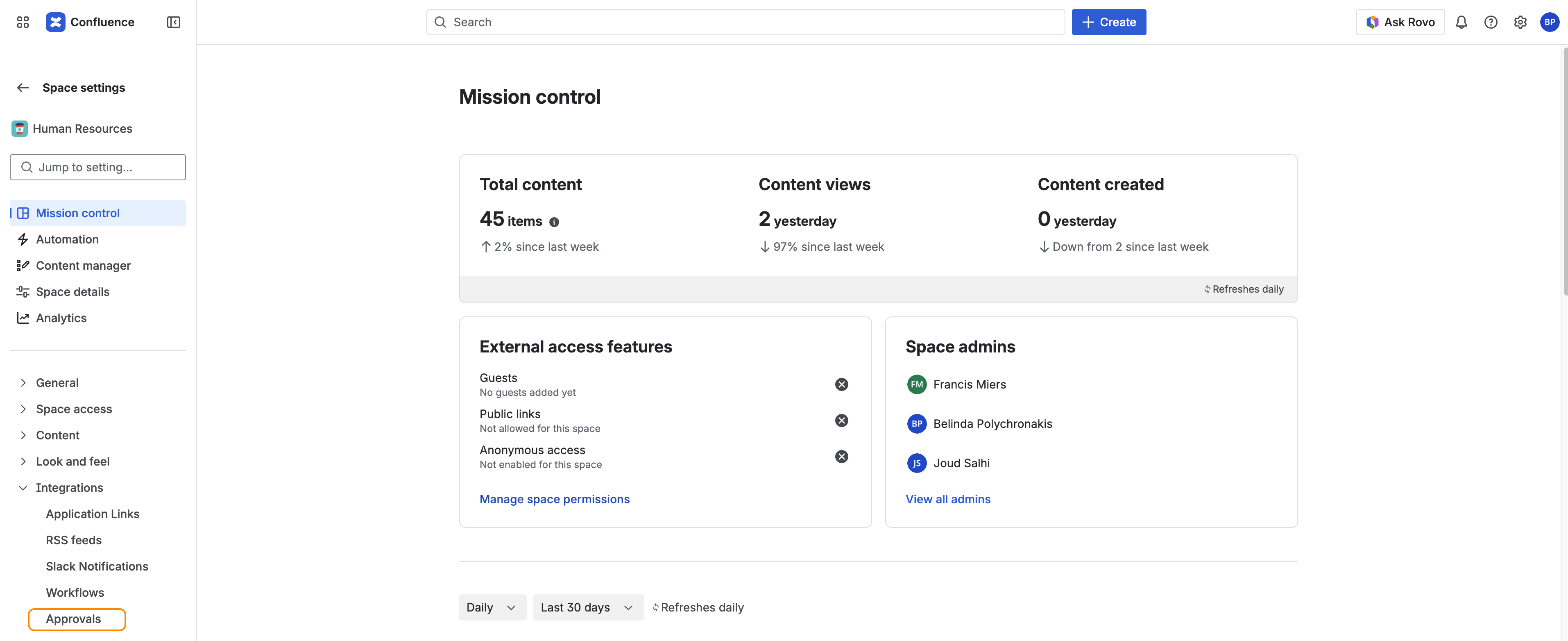
Relocation of space settings link
As of , we have moved the link for the App’s space settings, from the App Links section to the Integrations section, in the navigation side panel.
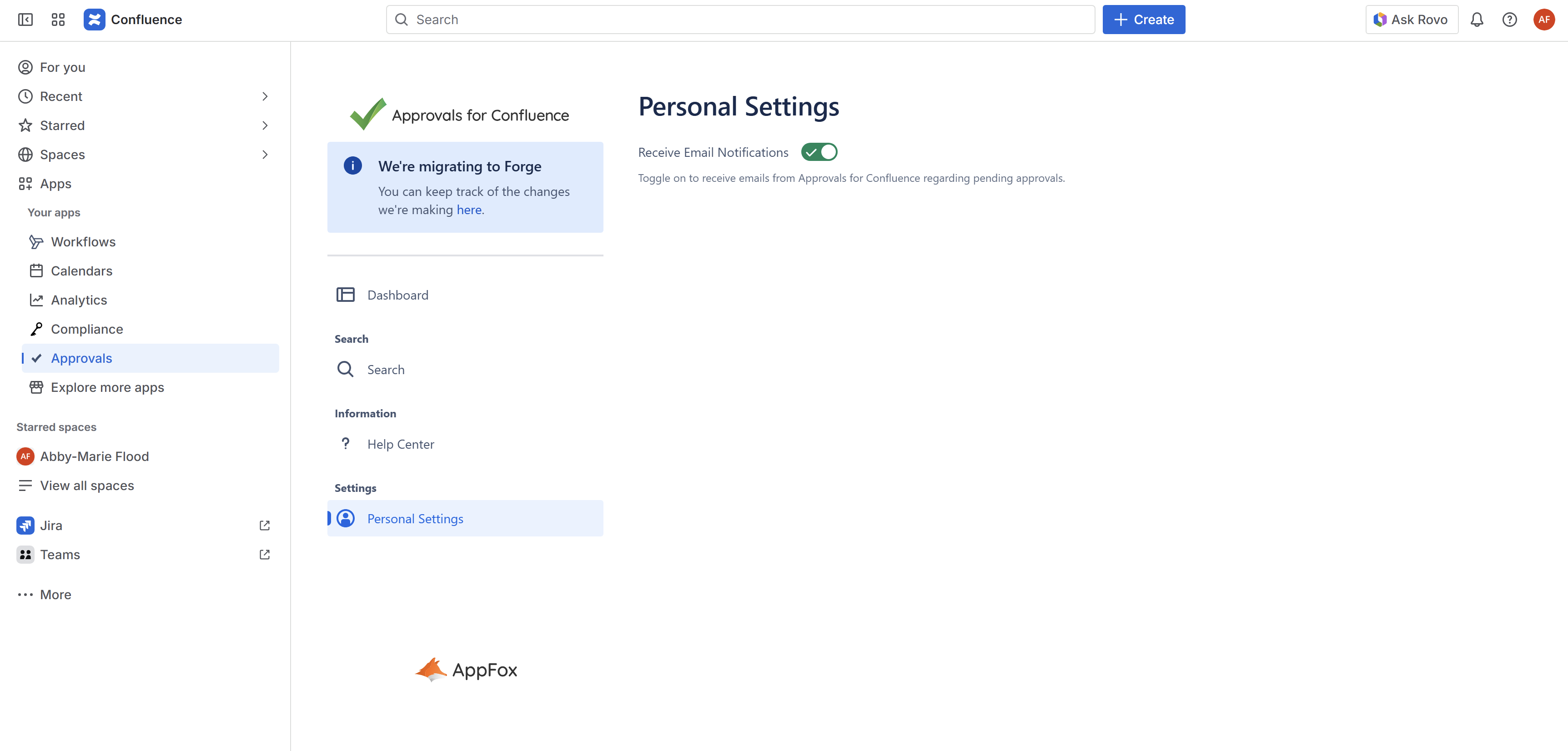
Relocation of personal settings
As of , we have moved your personal Approvals settings, from a tab in your Confluence personal settings, to a new Personal Settings navigation in the main Approvals app.
To find the new Personal Settings page, navigate to the Approvals App Page (Apps → Approvals → Personal Settings).
Removal of deprecated Section Approval macro and Dashboard widget
As of , we removed the following as part of consolidating and improving user experience:
-
The old Section Approval macro
-
Please use the newer Section Approval macro
-

-
The Dashboard widget
-
Please use the Dashboard in the Approvals app page (accessible through Apps → Approvals in the Confluence navigation panel)
-
Relocation of Getting Started and Global Settings pages
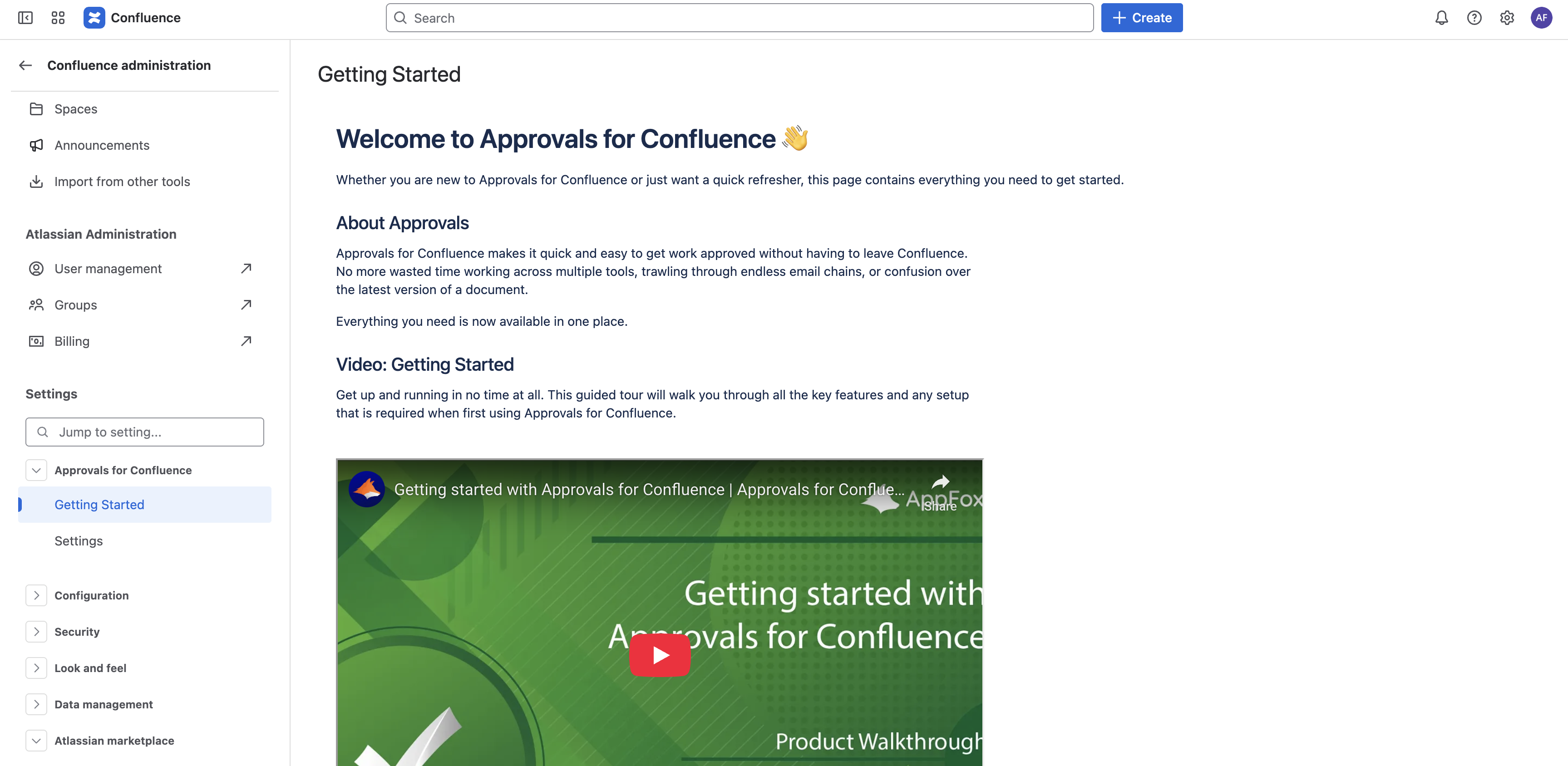
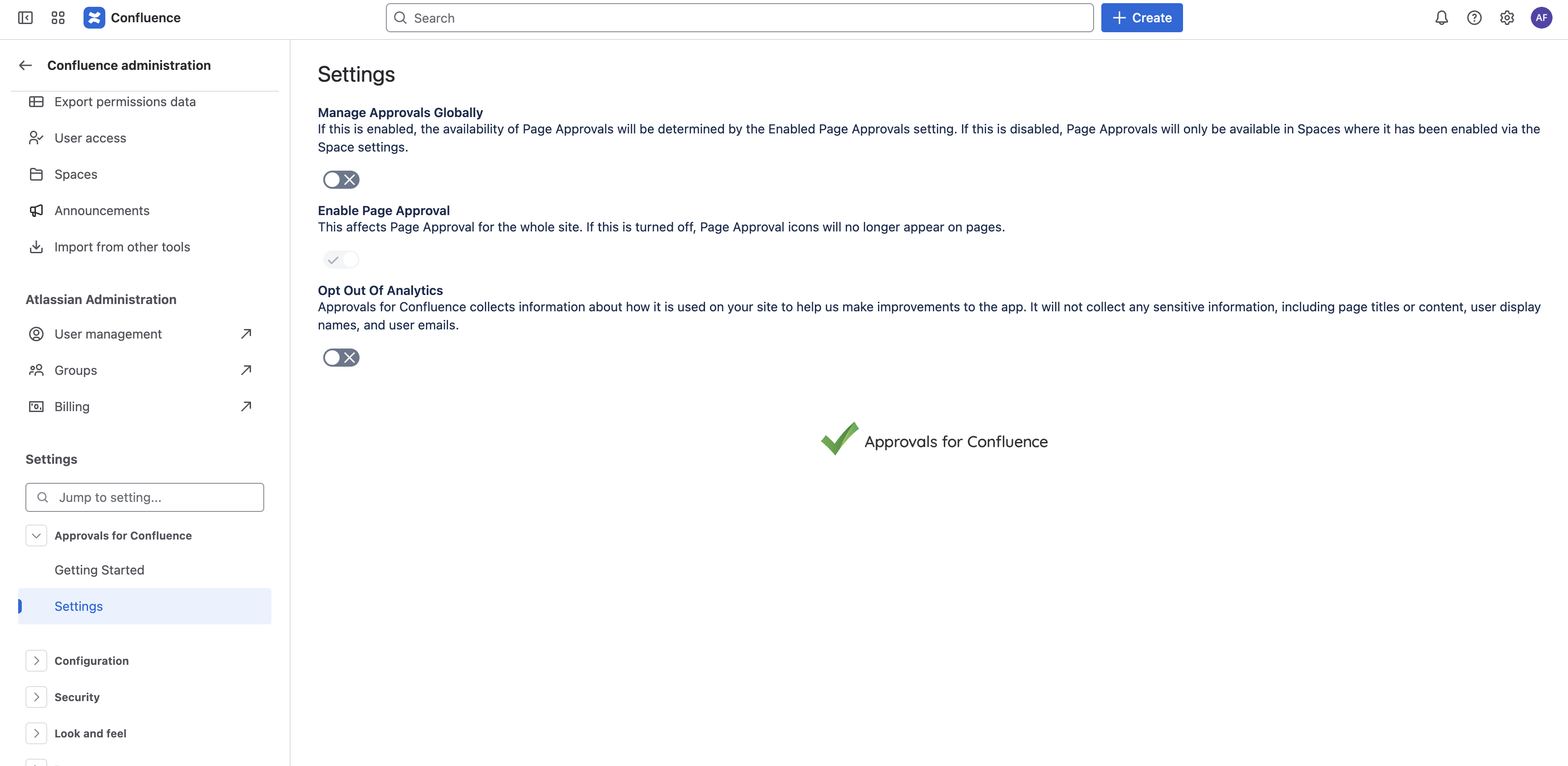
As of , we moved the App’s two Confluence Administration pages. These pages are still available in the Approvals app page, as the Help Center and Global Settings pages.
-
The Getting Started page
-
The Settings page
Navigate to the Approvals App Page as per the below screenshots.
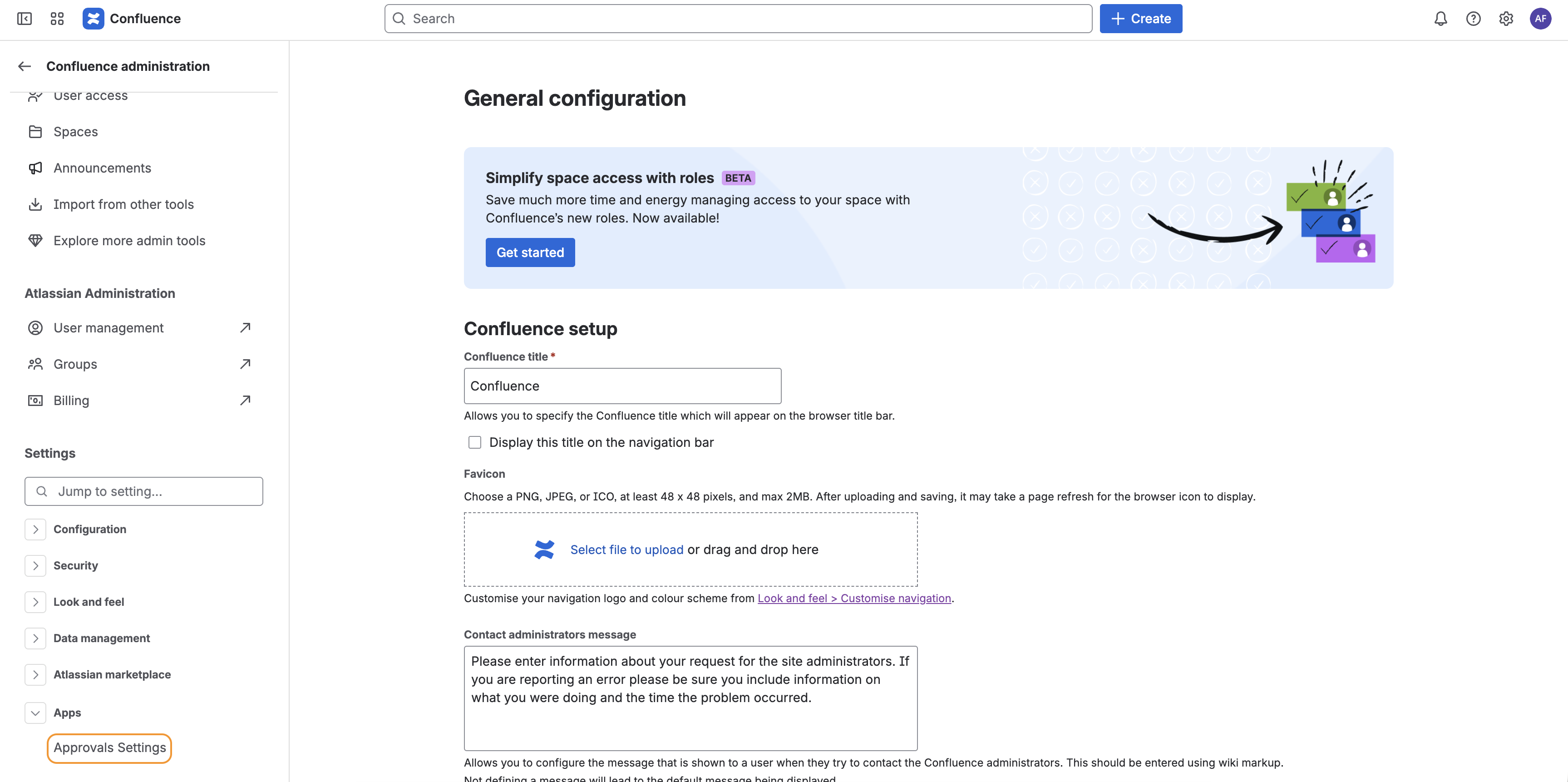
In addition, the Settings page will still be available through a link in Confluence Administration, under the Apps section of the navigation panel.
Need support? We’re here to help 🧡
If you have any questions or would like to speak with us about Approvals for Confluence, please reach out to our Customer Support team.