-20250819-084018.svg)
We’ve now officially migrated Workflows for Confluence Cloud to Atlassian’s Forge platform! This allows us to deliver more value to our customers more quickly.
During the migration, some aspects of the app were moved, changed, or removed. These changes are detailed below.
Applied changes
Removal of redundant Confluence links
As of , we have removed the following app links:
-
The Workflows Search link from the Space apps section of the navigation panel
-
You can now navigate to the search page via Apps > Workflows
-
Relocation of Personal Settings
As of , we have moved Workflows Personal Settings from the Confluence Personal Settings to the app’s global page. You can now access your Workflows Personal Settings by navigating to Apps > Workflows > Personal Settings
Relocation of Space Settings link
As of , we have moved the link for the App’s space settings, from the App Links section to the Integrations section, in the Space settings navigation side panel
Relocation of global admin pages
As of , we have moved the global admin pages into the main Workflows app page. This is part of efforts to consolidate and improve user experience; for all things Workflows, simply visit the Workflows app.
-
Before, the app’s admin pages were accessed via Confluence administration > Settings > Workflows for Confluence. This gives access to the following pages: Introduction, Workflows, Configuration, Approval Tokens, and Audit Log.
-
Now, the app’s admin pages are accessed via Apps > Workflows > Global Settings. As before, these pages can only be accessible by admins.
-
Introduction has been rebranded as Getting Started, and is visible to all users as a basic walkthrough of the Workflows app.
Removal of redundant Confluence items
As of , we have removed the following as part of consolidating and improving user experience:
-
The Pending Workflows link from the user menu (seen in the dropdown menu after clicking on your avatar in the top-right corner of Confluence).
-
You can now navigate to the search page via Apps > Workflows.
-
-
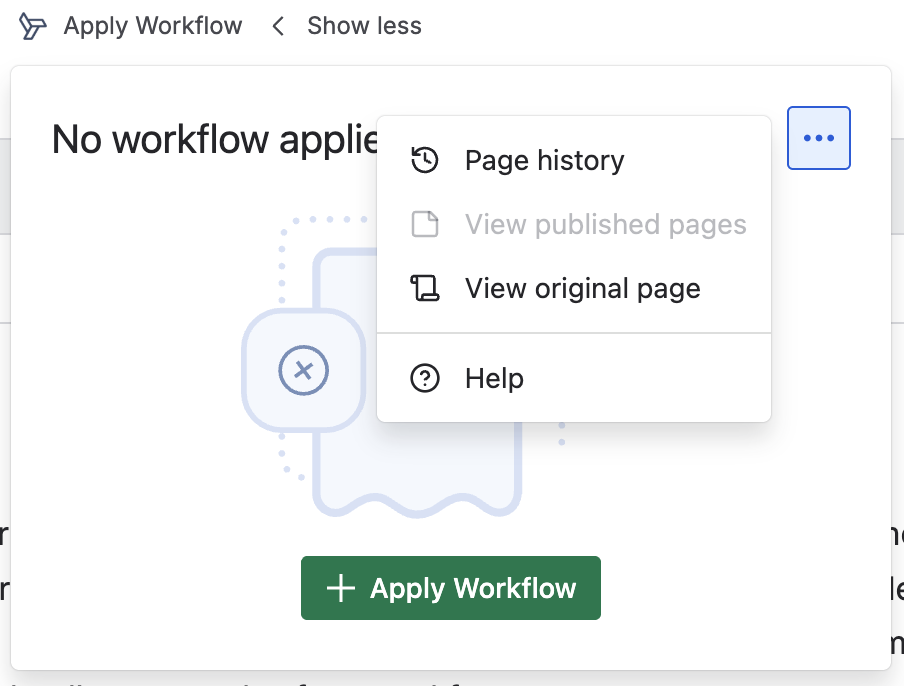
The Apply Workflow, Remove Workflow and Workflow Info buttons that exist under page menu > Apps.
-
You can apply and remove workflows, and access the Workflows Page History via the Workflows for Confluence byline (see below).
-
Need support? We’re here to help 🧡
If you have any questions or would like to speak with us about Approvals for Confluence, please reach out to our Customer Support team.