-20250819-084018.svg)
You can create as many Automation Rules as your organization needs. You can fully customize rules to align with your policies and procedures.
Create an Automation Rule
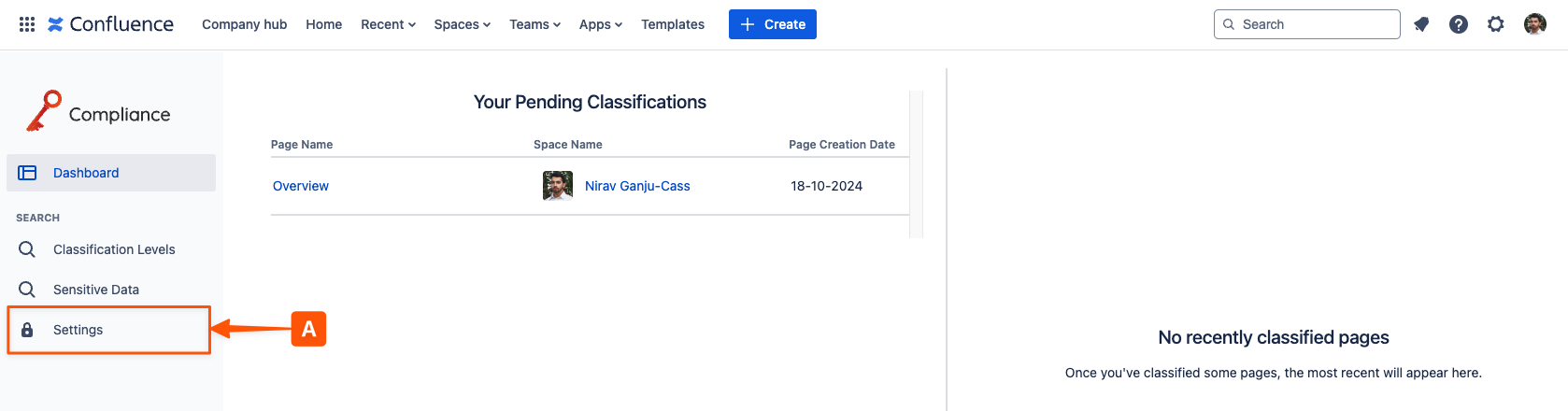
In the left-hand navigation bar, open Settings (A).
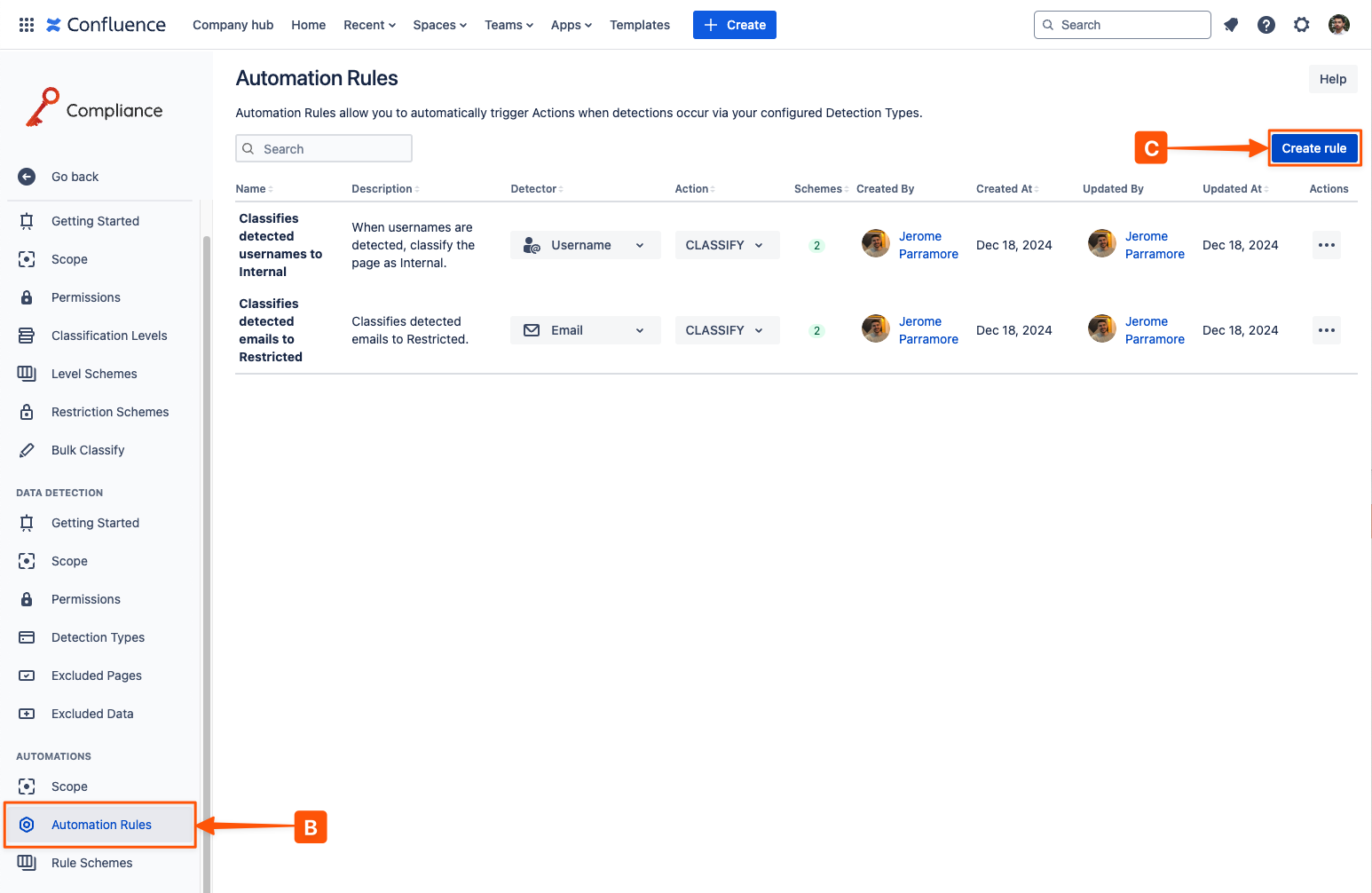
From the Settings page, go to Automation Rules (B) to view all existing Automation Rules and to create new ones (C).
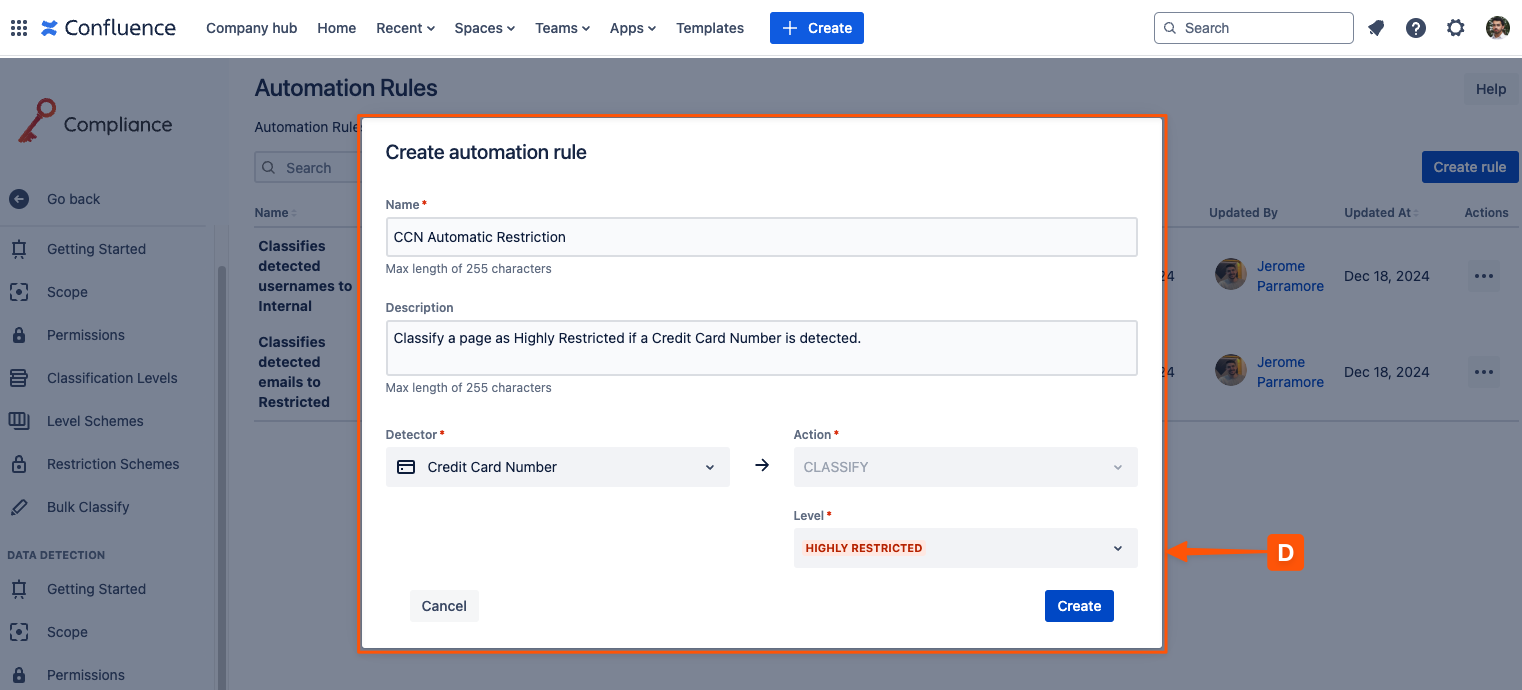
To add a new Automation Rule (D), choose a name, description, sensitive data detector, and action (e.g., classifying a page with a classification level and optional sub-level).
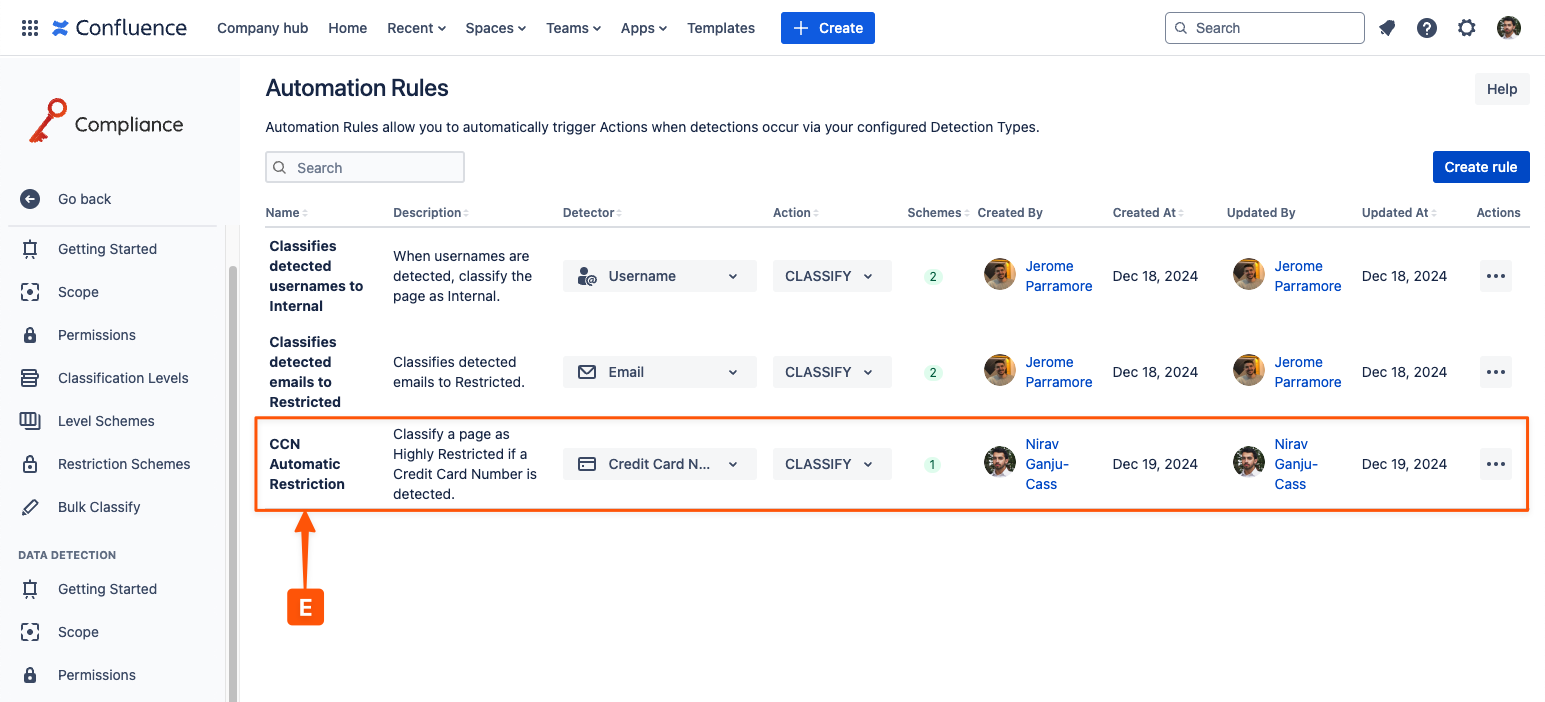
Once you are happy with the rule configuration, click Create. The new rule (E) will be added to the Automation Rules table.
Need support? We’re here to help 🧡
If you have any questions or would like to speak with us, please don’t hesitate to reach out to our Customer Support team.