-20250819-084018.svg)
|
Release Date |
13-04-2023 |
|---|---|
|
Type of Update |
new feature |
We’re delighted to announce the April 2023 update to Approvals for Confluence has just been released.
New features 💎
-
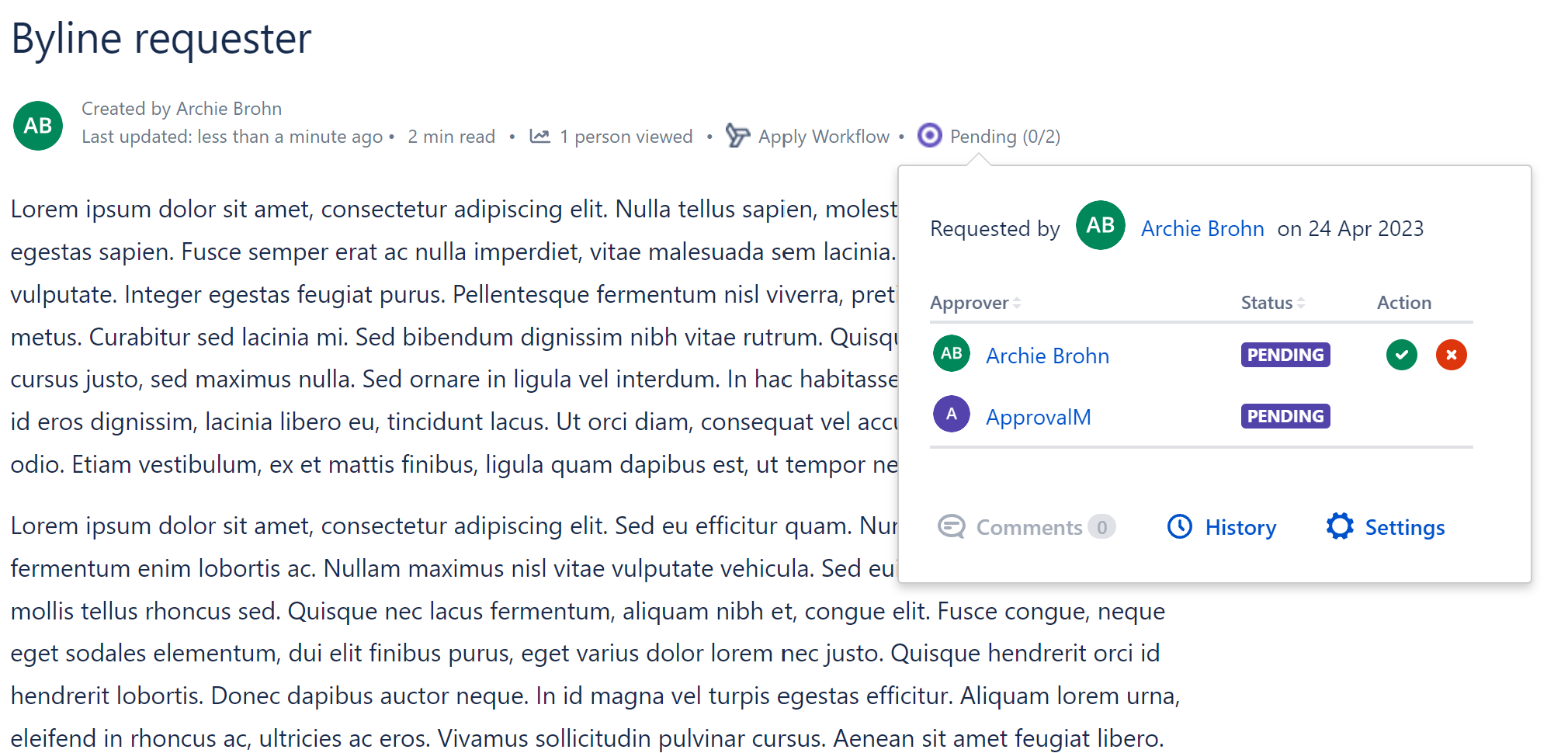
Display Approval Requestor in the page byline
-
Added the ability to see who requested approvals within the page approval pop-up window (example below). Note: this will only apply to new pages approval and will not update retrospectively for existing approvals.
-
-
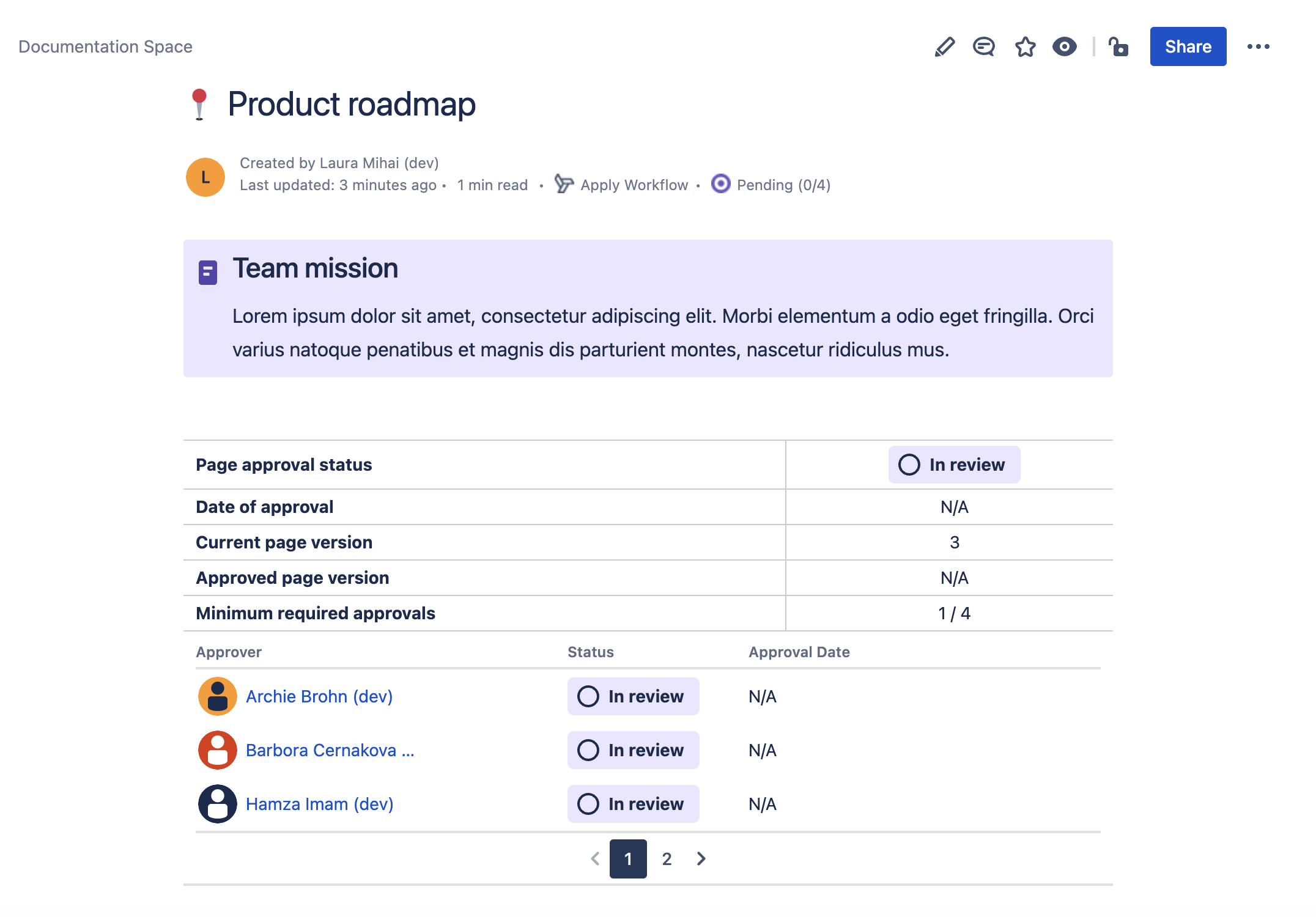
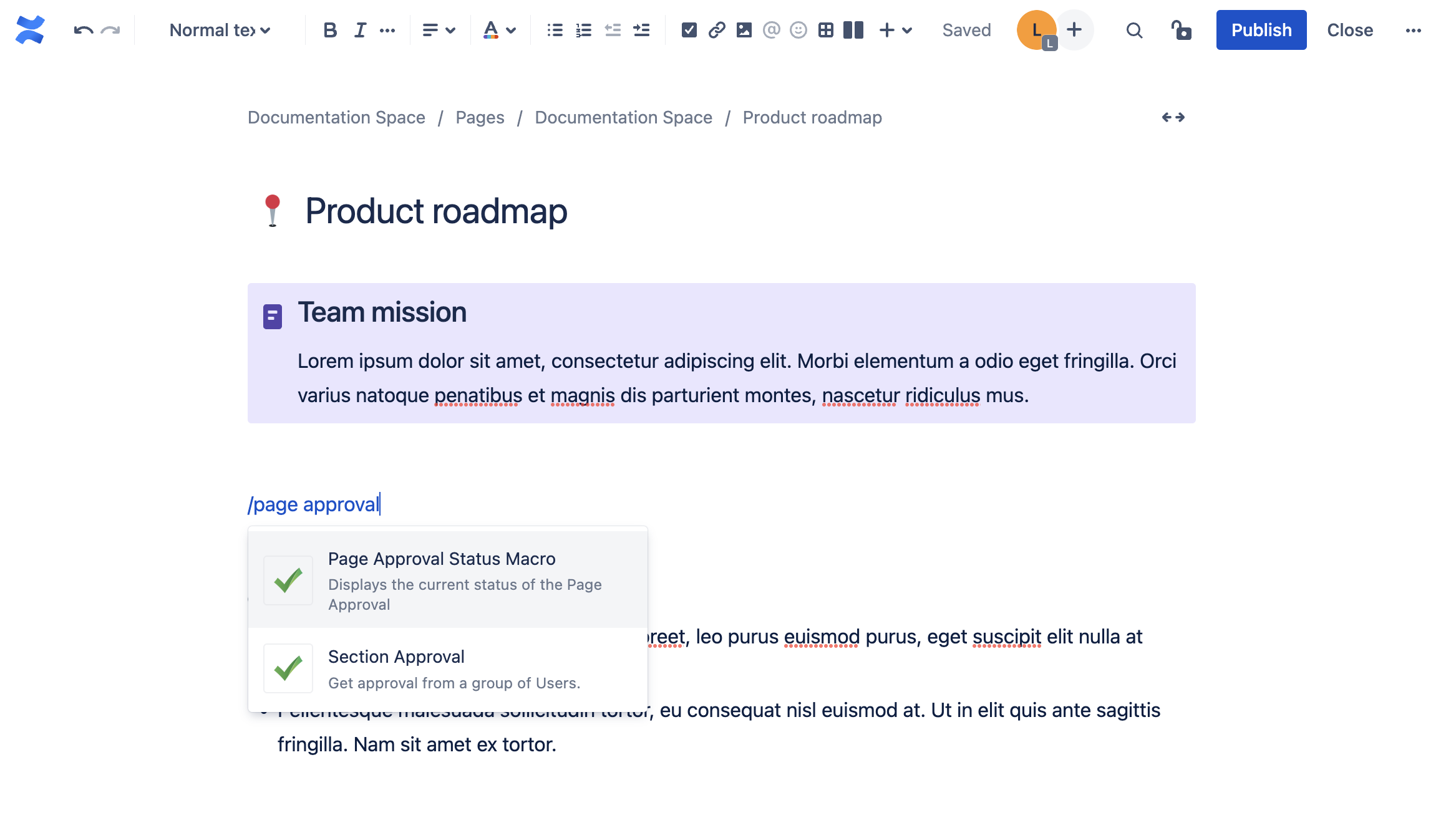
Introducing the Page Approval Status Macro 🎉
-
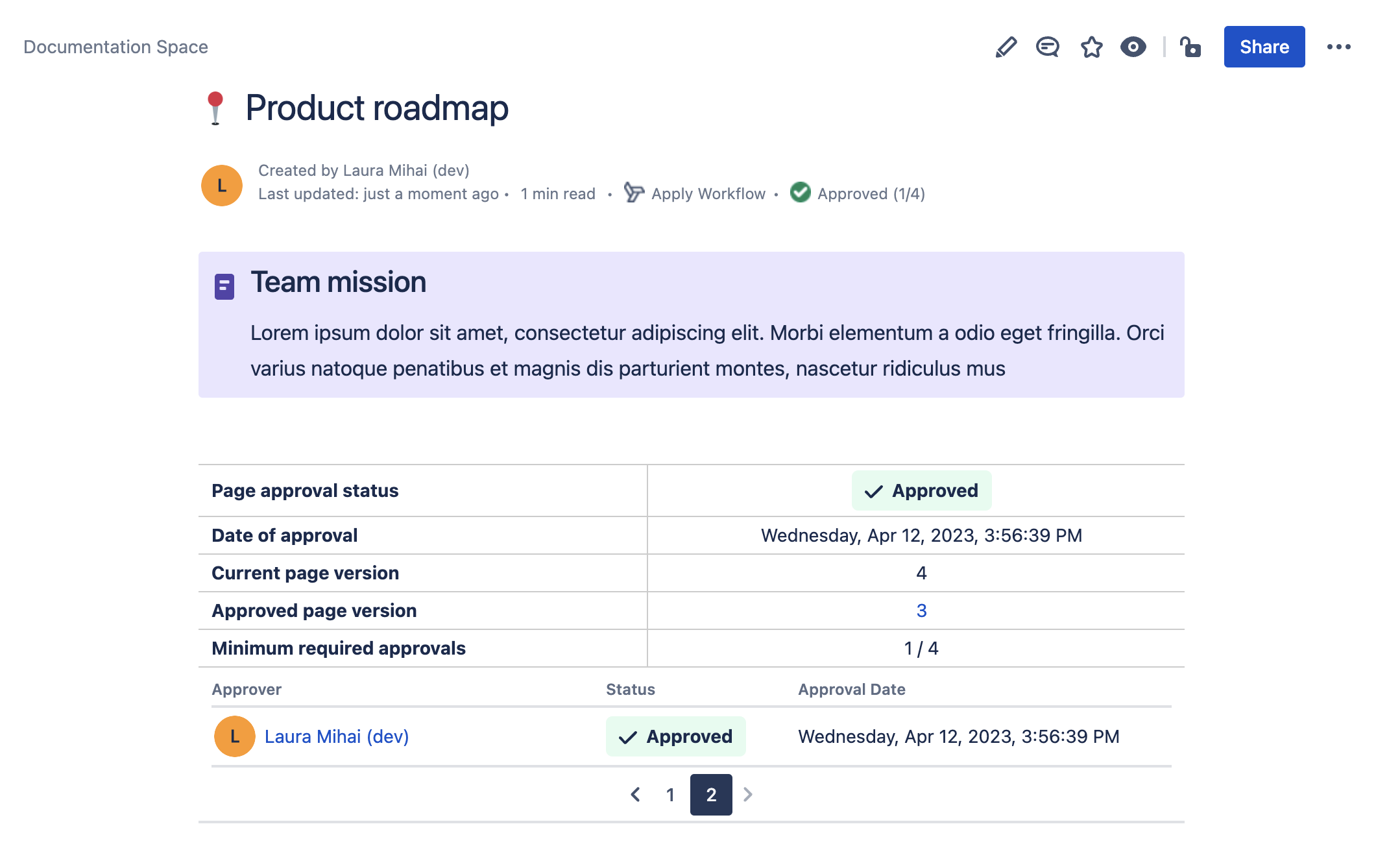
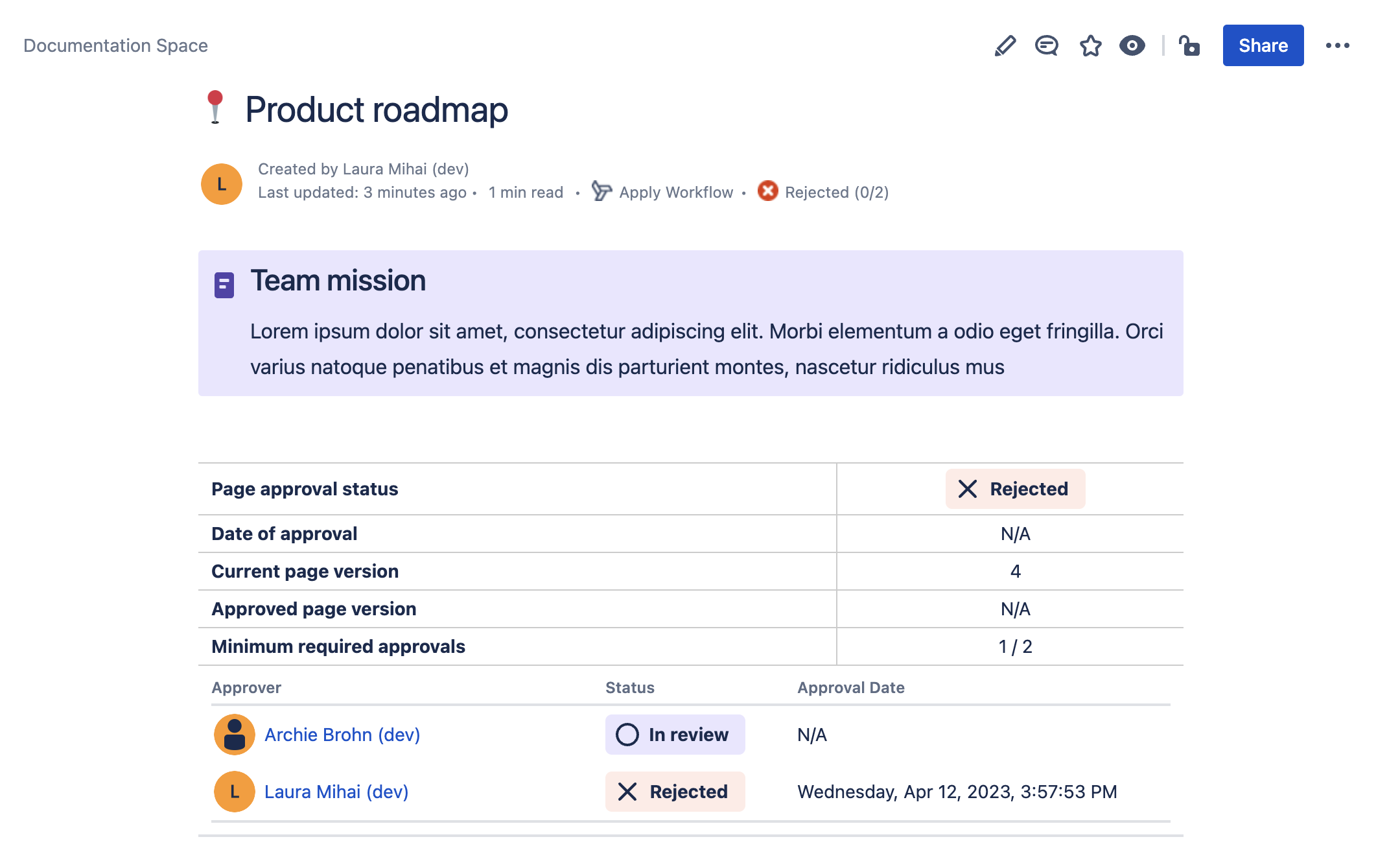
Users can now add a new macro which displays the information of the page approval, including:
-
Page approval status:
-
can be ‘In review’, ‘Approved’ or ‘Rejected’
-
-
Date of approval:
-
displays the full date and time of the last given approval that changed the overall page status to ‘Approved’
-
displays ‘N/A’ when current page status is ‘In review’ or ‘Rejected’
-
-
Current page version
-
Approved page version:
-
displays the last approved page version as a hyperlink
-
displays ‘N/A’ when current page status is pending or rejected
-
-
Minimum required approvers
-
if the option is disabled (from page approval config), then minimum required approvers will be the total number of approvers
-
-
Approvers list:
-
including Approver, Status and Approval Date
-
-
-
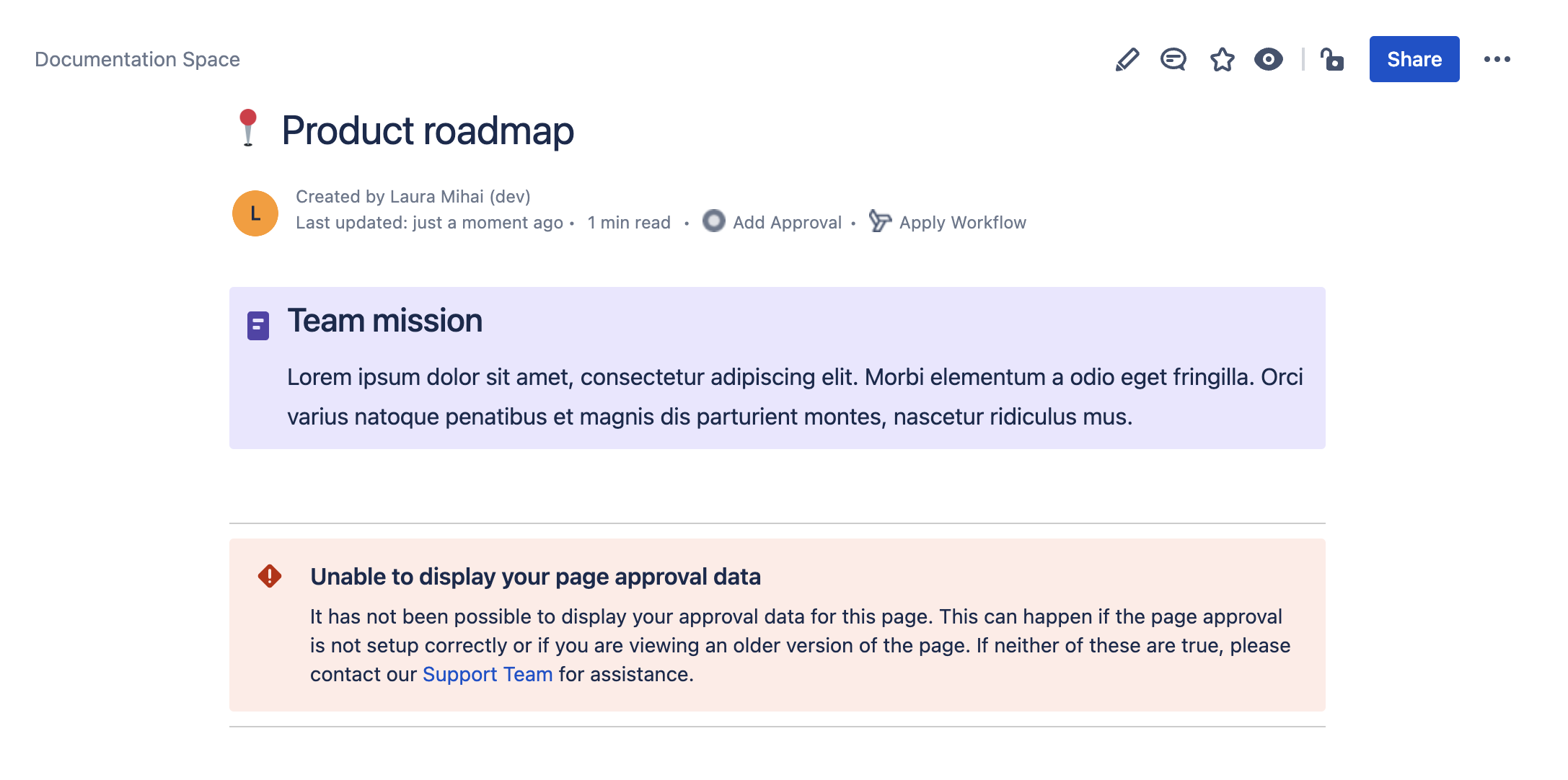
The macro can be exported to pdf and word; if users want the exported tables to take the full width of the page, then they can:
-
go to Space Settings → Look and Feel → PDF export → PDF stylesheet
-
copy the following and save:
-
table.approvalStatusTable {width: 100% !important}
table.approversStatusTable {width: 100% !important}
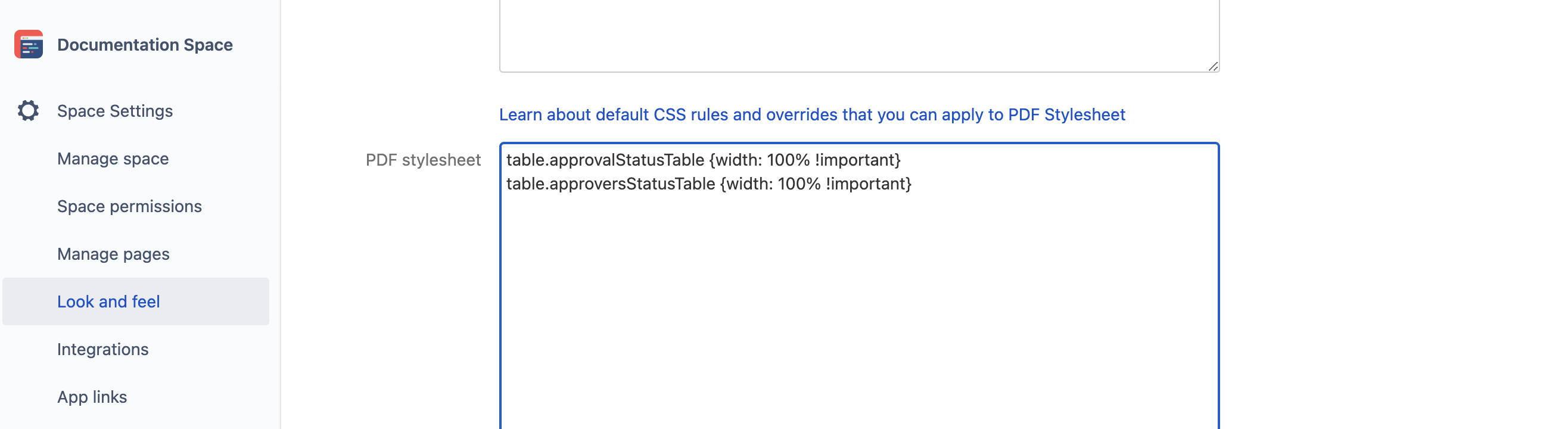
Changing table width to be full page width
-
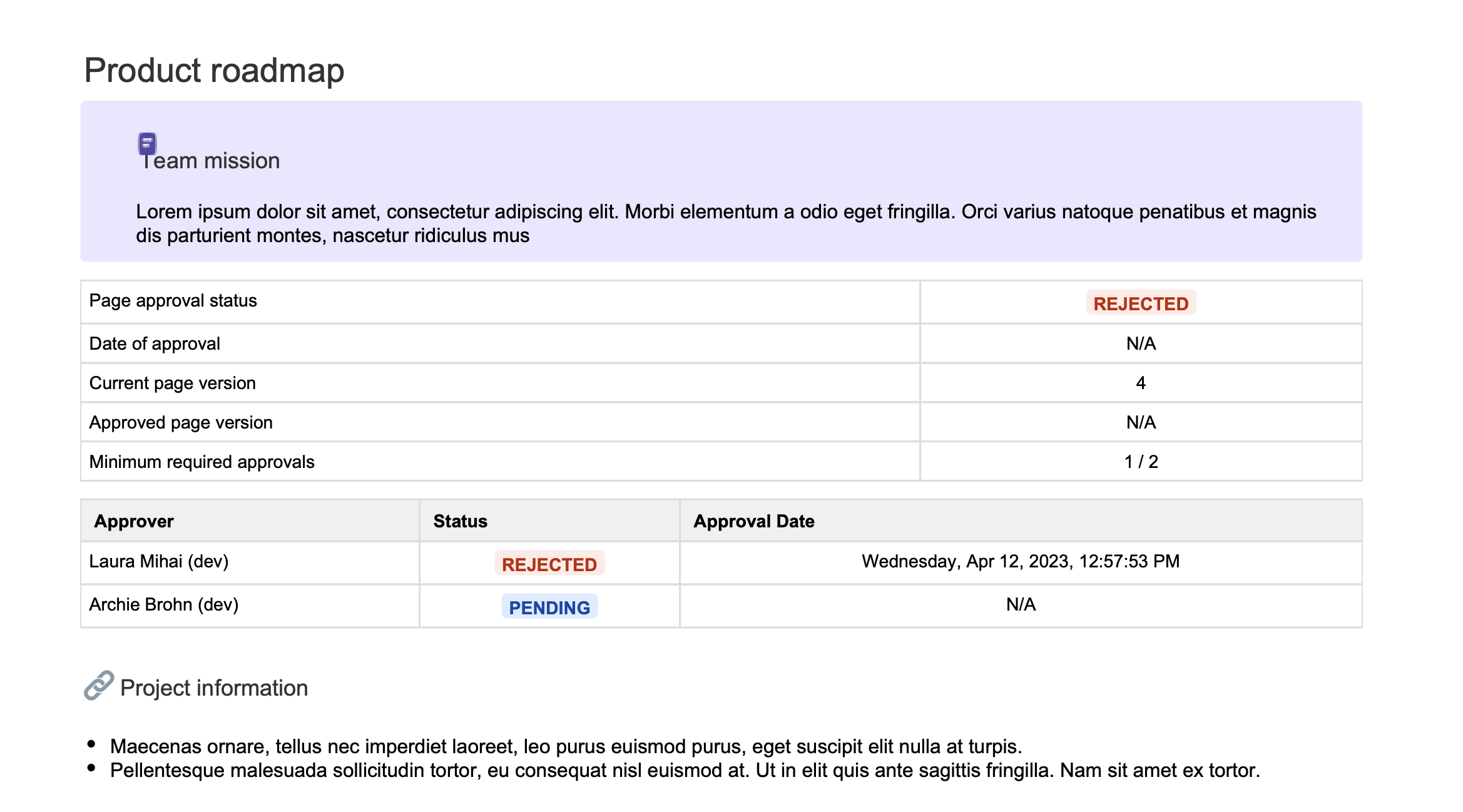
PDF export example
-
-
Updating to the latest version: this update has been automatically applied to Approvals for Confluence Cloud, so no action is required from you.
Customer Support 🧡
-
If you have any questions or need assistance with Approvals for Confluence Cloud, please contact our Customer Support team