-20250819-084018.svg)
With Approvals for Confluence, you can set system-wide settings that apply to all your approvals.
-
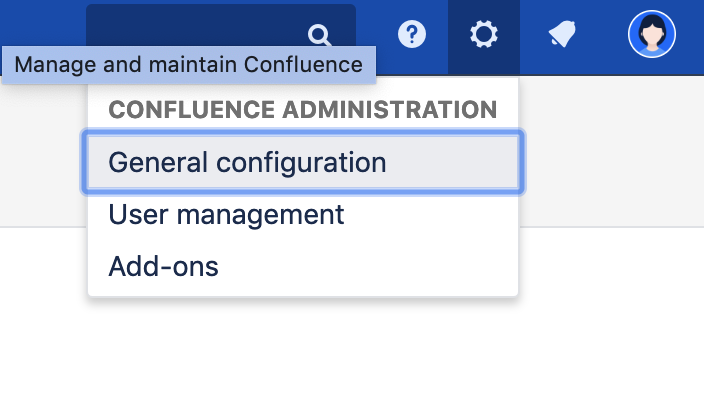
Click on the Settings Cog on top-right of the page and click on General Configuration
-
On this page, head to the left sidebar and under Approvals for Confluence the system settings can be accessed by clicking Configuration
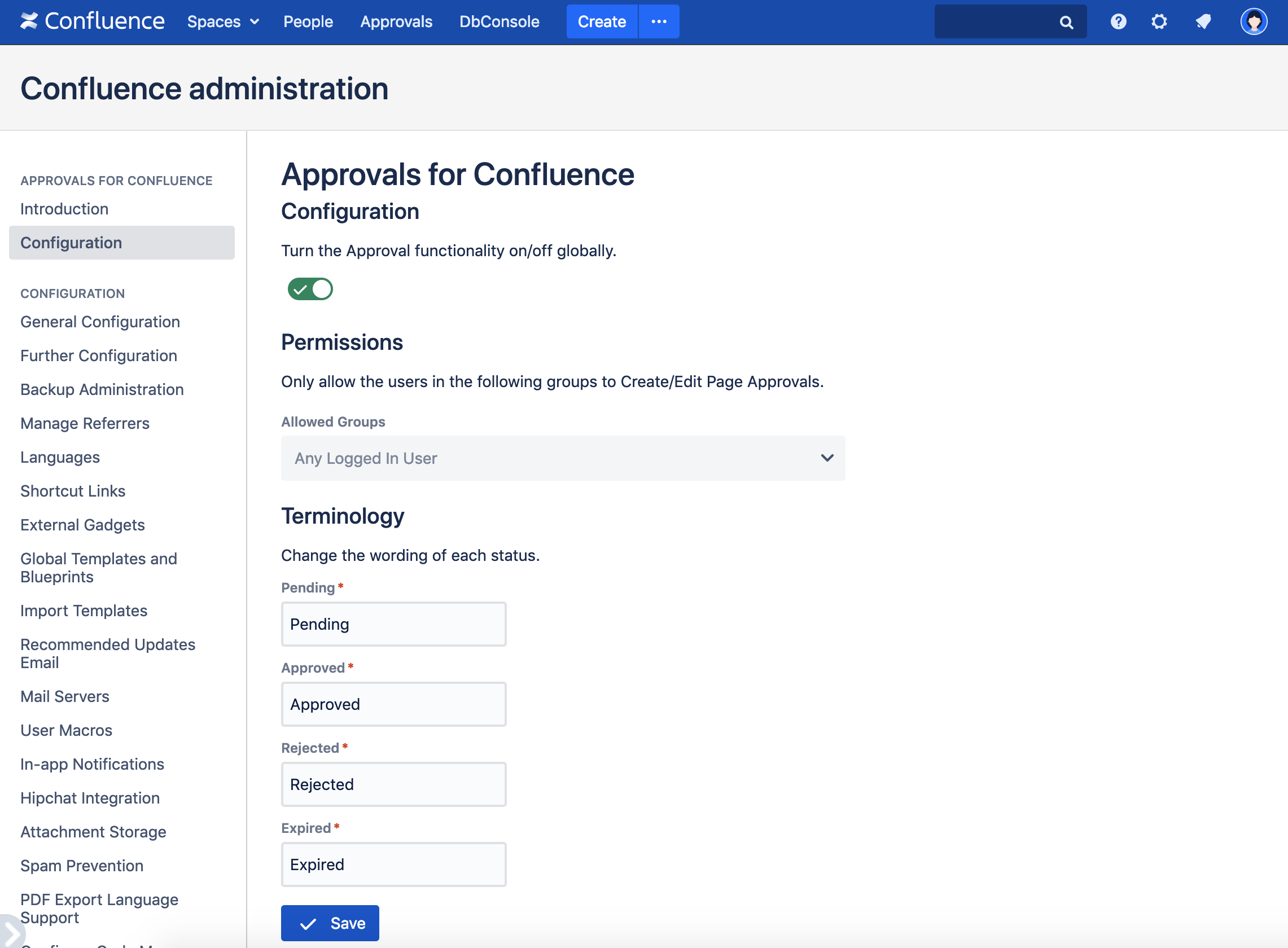
On this page you can:
-
Disable Approval Notifications
-
Change the wording of each status by changing the fields under Terminology
-
Restrict which groups can approve pages under Permissions. If you want to set these per space, you can do so using our Space Settings