-20250819-084018.svg)
Once you've set up your Data Classification Levels, you can start to manually classify pages across Confluence. Note: You can opt-out individual Spaces from having Compliance applied to it.
How to Apply Classification Levels to Pages
-
First, navigate to a Confluence page which you can view and edit.
-
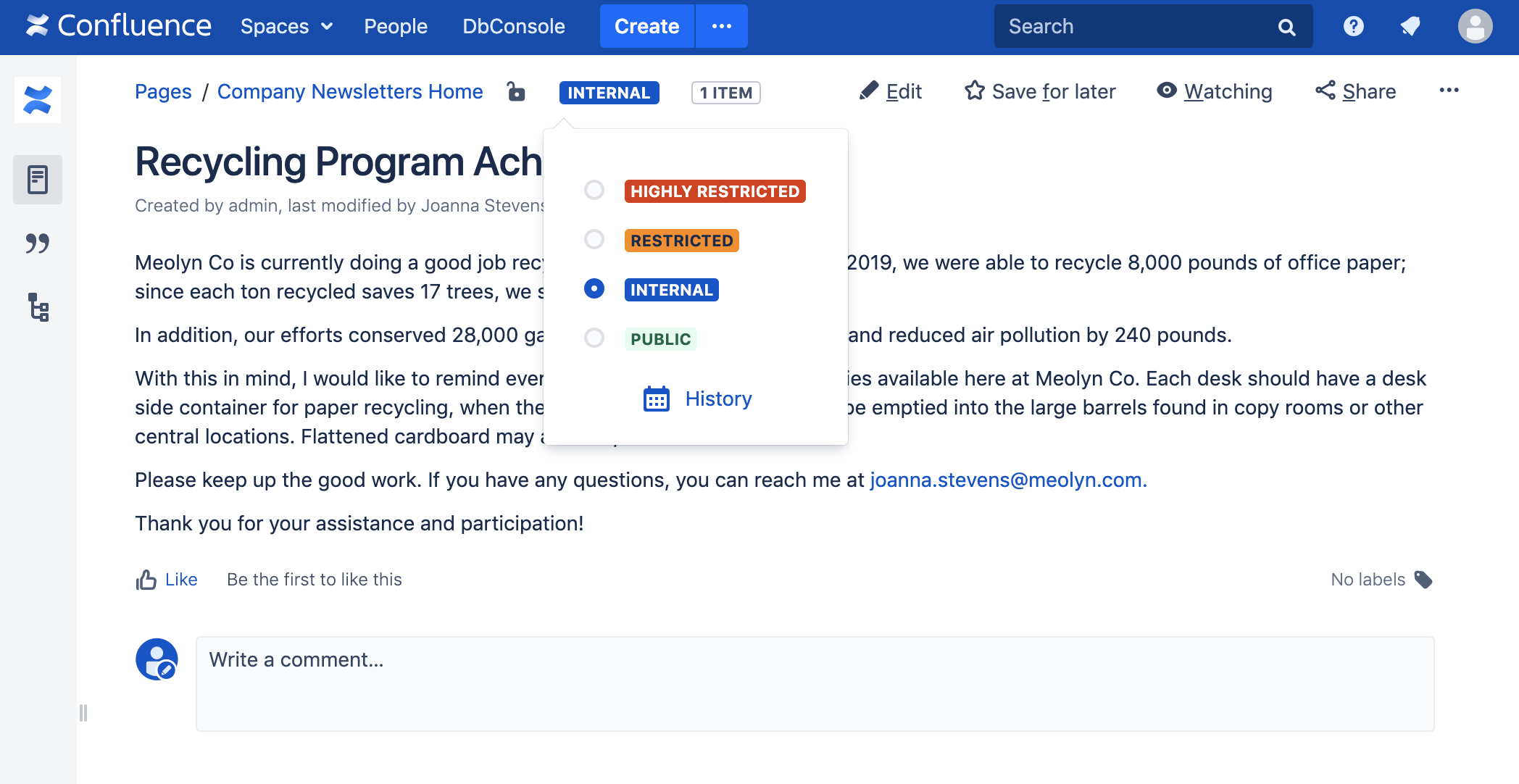
Notice the 'Pending Level' indicator at the top of the page.
-
Click on the indicator to change the level for the page.
-
If you have restrictions enabled, the page will refresh and show the new restrictions applied.
-
-
In the '...' menu, click on 'Classification History' to see an Audit Trail.