.svg)
Email Notifications
Emails are very useful within Workflows as it keeps you informed about the progress and updates of you content.
Some users may wish to turn off email notifications. This is possible within Workflows for Confluence by following the steps below:
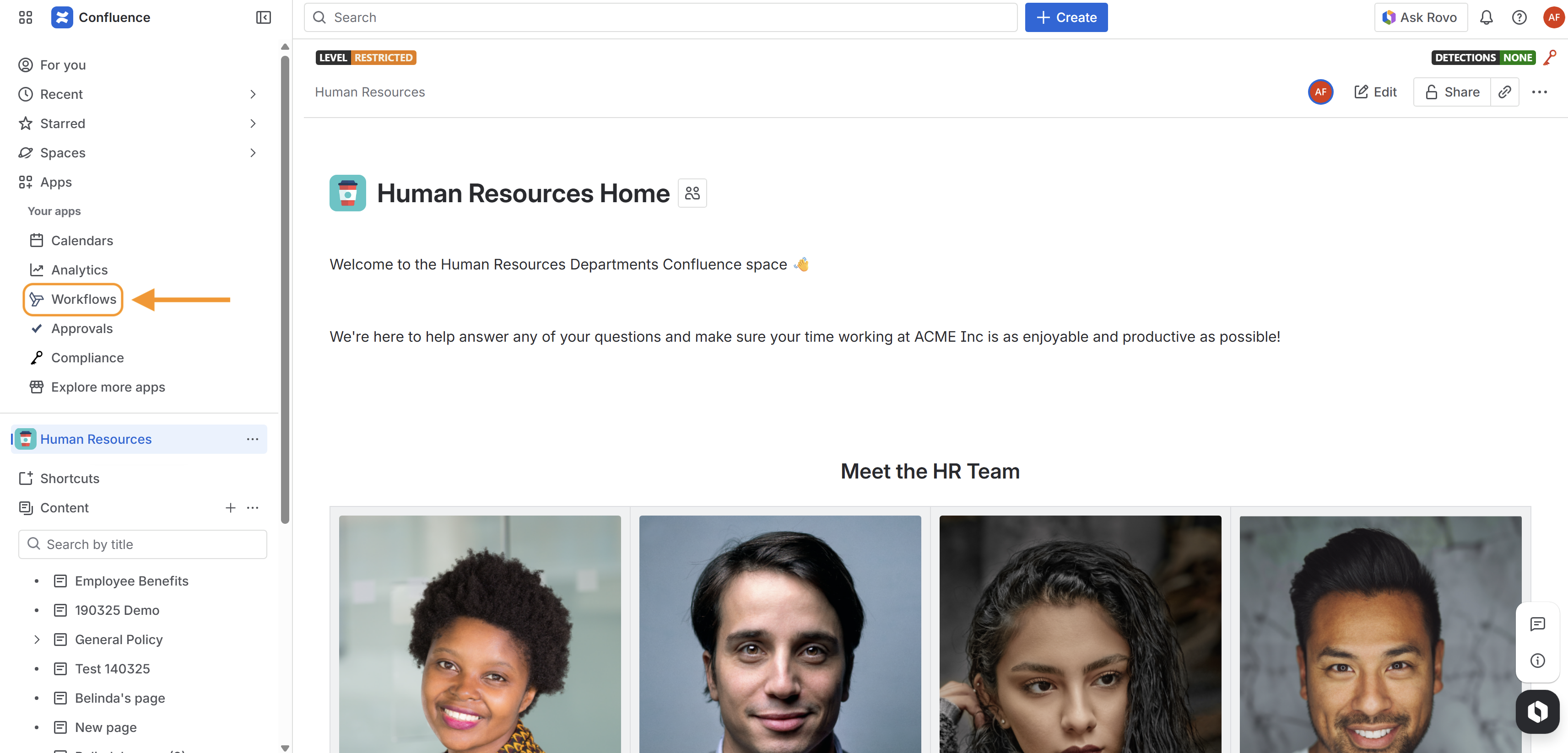
Navigate to the Workflows app page by clicking Apps > Workflows in the Confluence navigation sidebar.
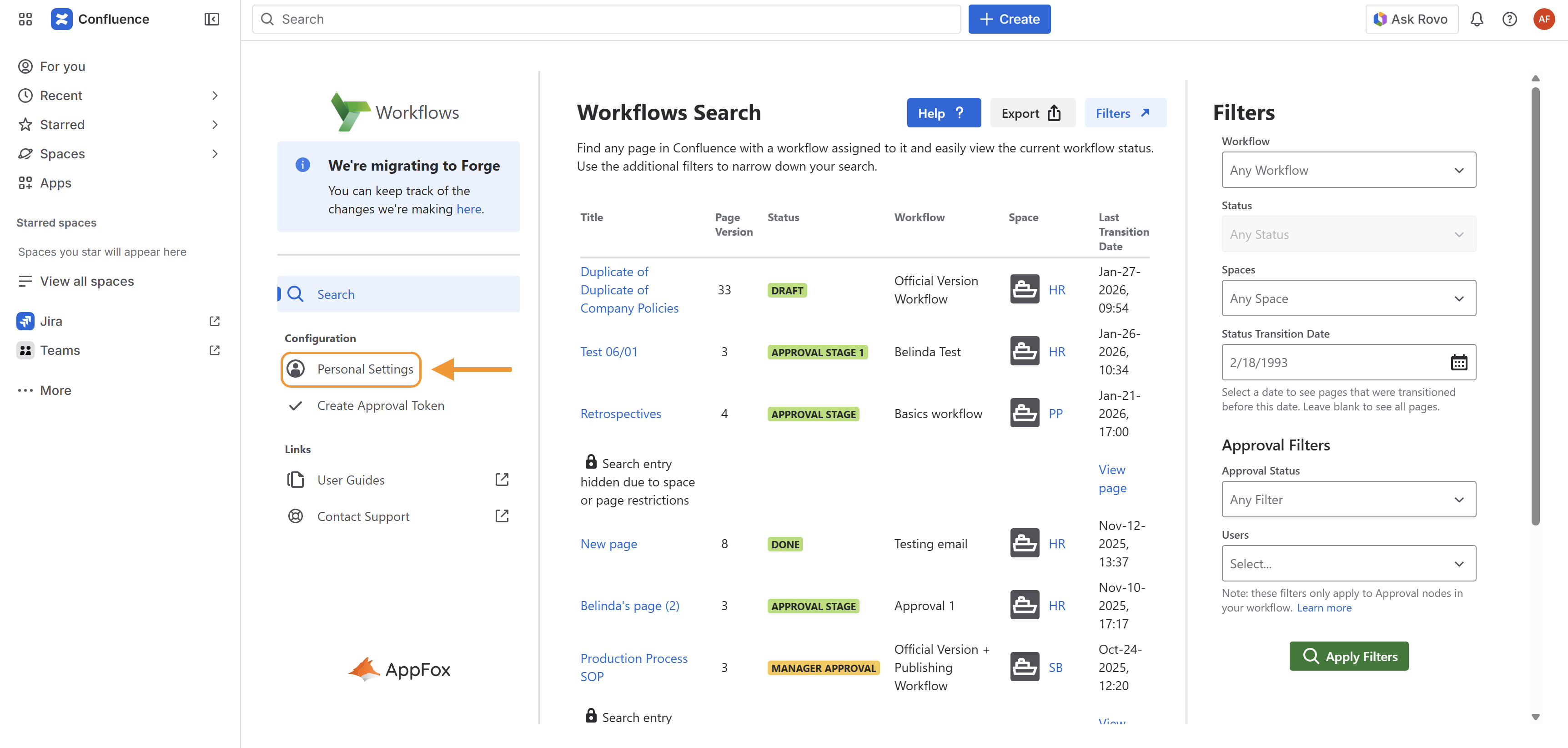
2. Click on Personal Settings.
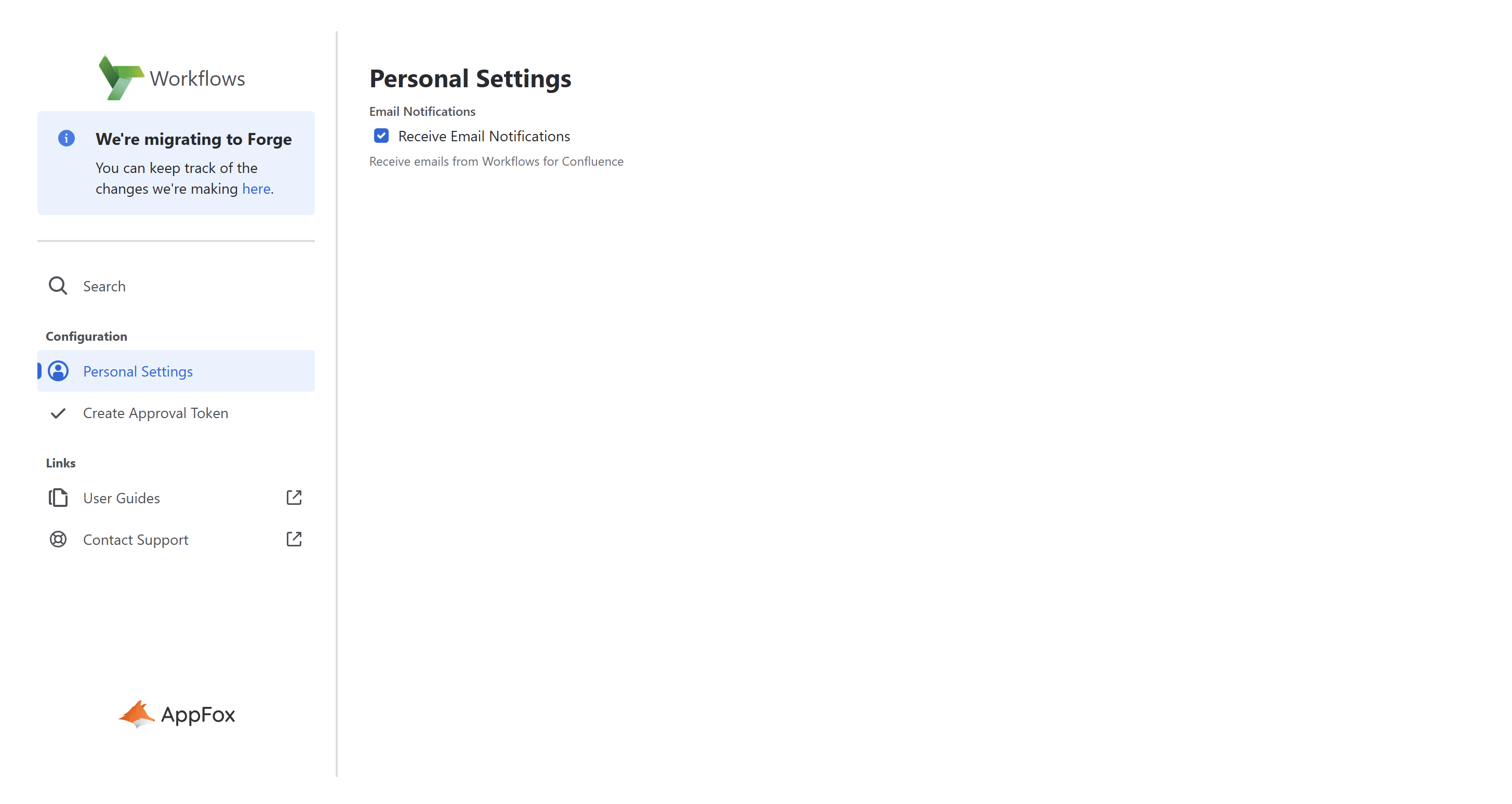
Click on the the Receive Email Notifications checkbox.
Need support? We’re here to help 🧡
If you have any questions or would like to speak with us about Workflows, please don’t hesitate to reach out to our Customer Support team.