-20250819-084018.svg)
The Compliance for Confluence REST API allows you to integrate with external tools such as ScriptRunner. This allows for the implementation of more complicated automations such as applying a classification level based on a page template or label.
Prerequisites
To start using the Compliance API with ScriptRunner, you will need both a valid Compliance API key (with the appropriate scopes for the endpoints you are using) and the UUIDs for any Compliance elements you wish to interact with such as classification levels.
Compliance API Key
Requests made to the API using ScriptRunner must be authorised using an API key generated within the API Keys page of the Compliance administration area.
The key scopes will depend on the specific actions to be taken, for example classification::write is needed to set the level of a page.
Required scopes are listed in the documentation for each API endpoint.
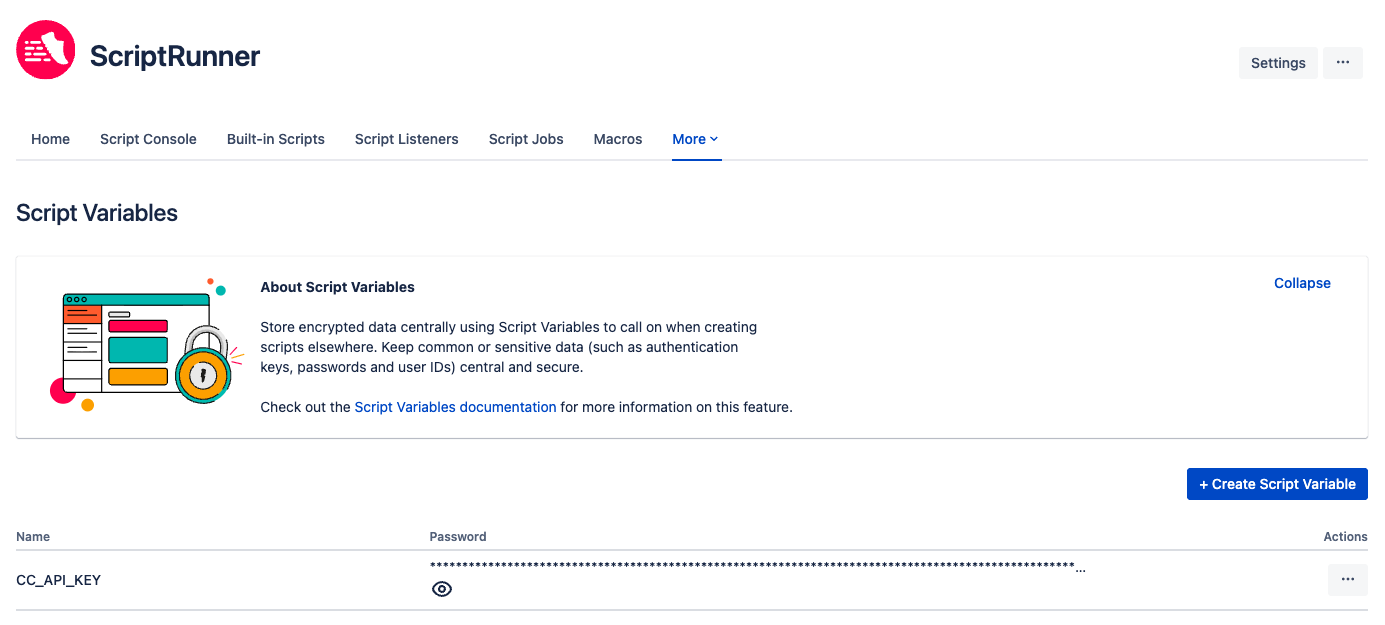
It is recommended that the Compliance API key is stored as a Script Variable and not included directly in the script body, both to minimise risk of exposure and to allow this key to be used across multiple scripts.
Classification Level UUIDs
While the Compliance UI shows classification names to users, the setting of a page level via the REST API requires a UUID that is not visible in UI. There are two ways to obtain these UUIDs:
-
Use the
GET /levelendpoint in the Compliance API
The easiest way to do this is directly within the API Reference page of your Compliance admin area, but could also be performed with a tool such as Postman. It will require the use of an API token with theclassification::managescope. This could also be done dynamically as part of the Script in some cases. -
Use the browser’s network tools in the Compliance admin area
Inspecting the response to the graphql request that is made when opening the Classification Levels page in the Compliance admin area will allow the user to see all classification levels and their UUIDs
These UUIDs are what must be passed into the POST /page-level endpoint to set a page’s level and can be included in the script.
Using the Compliance (and Confluence) API with ScriptRunner
ScriptRunner comes with Unirest imported by default as well as the Confluence Cloud API auto-completed, and this makes it straightforward to create API requests for interacting with native Confluence endpoints. This can also be easily extended to Compliance.
Confluence API
The Confluence API can be called without a root, for example:
get("/wiki/api/v2/pages/12345")
    .queryString("include-labels", true)
    .asJson()
This will make the request GET https://appfox.atlassian.net/wiki.api.v2/pages/12345?include-label=true.
Note that authorisation does not need to be passed into the request as it is included within ScriptRunner’s functionality.
Compliance API
Requests to the Compliance API must be more explicit in passing both authorisation and root, but can be made in much the same way, for example:
post("https://ac-cloud.com/compliance/api/v1/page-level")
    .header("Content-Type", "application/json")
    .header("x-api-key", "${CC_API_KEY}")
    .body([pageId: pageId, levelId: classificationId])
    .asJson()
Note the above request is referencing the CC_API_KEY Script Variable as noted earlier in the document.
Script Listeners
ScriptRunner supports automated running of scripts in two ways:
-
Script Jobs - scripts that run at set intervals
-
Script Listeners - scripts that are triggered by some action happening in Confluence
Script listeners are useful for ‘if X then Y’ automations such as classifying a page if some condition is met and appear more relevant for Compliance use cases.
Example trigger events include:
-
Page created/updated/moved/trashed
-
Attachment created/removed
-
Label added/removed
-
User created/deactivated
Depending on the resource the triggered the event, different resource information will be automatically available, but additional information can be fetched using API calls.
For example, on a page update, the page ID will be available to reference in the script, but the page content would need to be fetched separately.
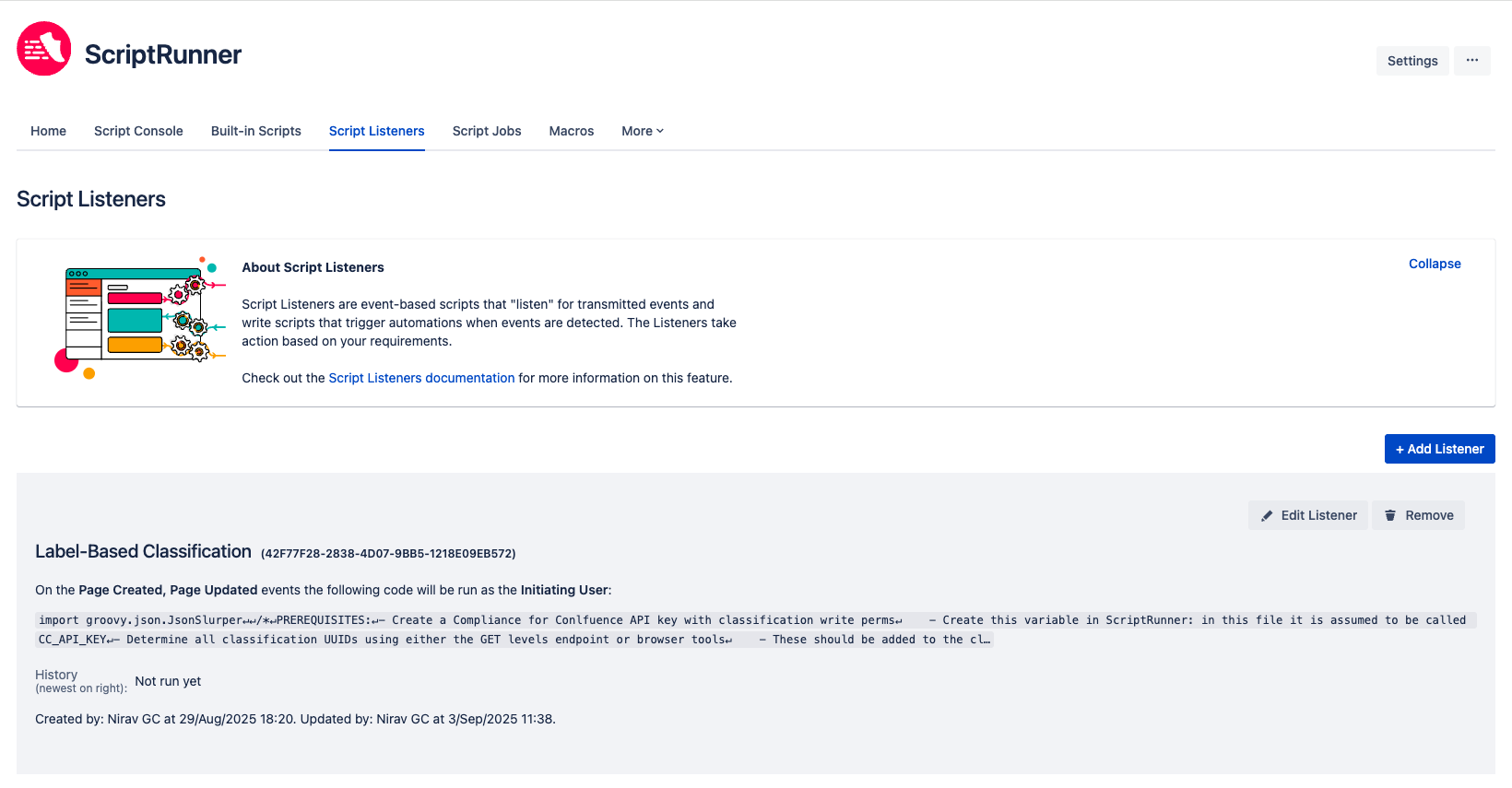
Example Script Listener
The below example script is designed to be created as a script listener that is triggered by page created, updated, and restored events.
This script will apply a classification level based on the page labels, with the specific label mapping listed in the script itself.
In order to use this script, the user would need to update the mapping of labels to classification levels in the classificationLabels dictionary as well as updating the names and IDs of classification levels for their instance.
This script:
-
Gets the page ID from the trigger event
-
Fetches the page’s labels using a separate call to the Confluence Cloud API
-
Checks the labels listed in the script to see if any are present on the page
-
Selects the highest classification level from the list of matched labels
-
Applies this classification level to the page using a call to the Compliance Cloud API
To use this Script in your own instance, update the UUIDs listed in the classificationIDs dictionary to match the UUIDs for these levels in your own instance, and map your own labels in the classificationLabels array.
import groovy.json.JsonSlurper

/*
PREREQUISITES:
- Create a Compliance for Conlfuence API key with classification write perms
    - Create this variable in ScriptRunner: in this file it is assumed to be called CC_API_KEY
- Determine all classification UUIDs using either the GET levels endpoint or browser tools
    - These should be added to the classificationIDs dictionary
- Determine labels the should be mapped to relevant classification levels
    - These should be added to the classificationLabels dictionary
*/


def pageId = page.id

// Classification label mapping
// IMPORTANT: levels must be ordered by precedence, i.e. if labels match multiple levels, the first in the list will be applied
def classificationLabels = [
    "highlyRestricted": ["confidential"]
    as Set<String>,
    "restricted": ["financial"]
    as Set<String>,
    "internal": ["product_requirements", "technical_design", "documentation", "policies"]
    as Set<String>,
    "public": ["public", "external_docs"]
    as Set<String>
]

// Classification level IDs matching the above keys
// IMPORTANT: all levels present in the classificationLabels dict MUST be present in this dict
def classificationIds = [
    "highlyRestricted": '8620aaab-35e0-47ce-b983-8434b2b849bd',
    "restricted": 'a21fbc98-9bf1-4ab4-8ffa-f9f663a9ef8f',
    "internal": 'a6563559-8772-4383-aed2-bbf1cfaae052',
    "public": 'b129b47b-b172-4678-b635-f30a8f605f87'
]

// Fetch labels for created/updated page
def response = get("/wiki/api/v2/pages/${pageId}")
        .queryString("include-labels", true)
        .asJson()

println "Status: ${response.getStatus()}"

// Apply classification based on labels
if (response.status == 200) {
    def parsedJson = new JsonSlurper().parseText("${response.body}")
    def labelMap = [:]
    def labels = parsedJson['labels']['results']

    // Create a dictionary of labels on the given page
    labels.each { label ->
        def id = label['id'] ?: ""
        def name = label['name'] ?: ""
        labelMap[id] = name
    }

    println "Labels: ${labelMap}"

    // Determine a classification to apply based on label matching
    def classificationId = checkLabelClassifications(labelMap, classificationLabels, classificationIds)

    if (classificationId) {
        // Classify the page if labels matched list defined in script
        sendClassificationRequest(pageId, classificationId)
    } else {
        println "No classification applied."
    }
} else {
    println "Unexpected response: ${response.body}"
}

// Determine classification for all labels combined
def checkLabelClassifications(Map labelMap, Map<String, Set<String>> classificationLabels, Map<String, String> classificationIds) {
    def labelNames = labelMap.values() as Set<String>
    for (entry in classificationLabels) {
        def key = entry.key
        def labels = entry.value
        if (labelNames.any { it in labels }) {
            return classificationIds[key]
        }
    }
    return null
}

// Send classification API request
def sendClassificationRequest(pageId, classificationId) {
    def response = post("https://ac-cloud.com/compliance/api/v1/page-level")
            .header("Content-Type", "application/json")
            .header("x-api-key", "${CC_API_KEY}")
            .body([pageId: pageId, levelId: classificationId])
            .asJson()

    println "POST Status: ${response.getStatus()}"
    if (response.status == 201) {
        println "Classification applied successfully."
    } else {
        println "Failed to apply classification: ${response.body}"
    }
}
Need support? We’re here to help 🧡
If you have any questions or would like to speak with us, please don’t hesitate to reach out to our Customer Support team.